Implement the turnstile into shopify website
Table of Content


-
Author

-
Published
03 Apr 2026
-
Reading Time
19 mins
Imagine waking up to find your Shopify store hit by fake orders. Hundreds of them. Your real customers can’t get in during a sale. It’s a nightmare for Australian store owners.
Businesses in Sydney, Melbourne, and Brisbane face this problem. Cloudflare logs show bots are always at work. They don’t care about your store’s success. It’s tough to see your hard work exploited.
We made this guide to help. Cloudflare Turnstile is a smart way to protect your store. It stops bots but lets real customers in easily. No annoying puzzles or lost sales.
We’ll show you how to set up Cloudflare and detect bots. It doesn’t matter if you sell fashion or electronics. Cloudflare keeps your sales safe and customers happy.
This guide is for Aussie business owners who want simple answers. Let’s make your store secure the right way.
Key Takeaways
- Cloudflare Turnstile replaces traditional CAPTCHAs with invisible verification that won’t frustrate your shoppers.
- A bot attack in Cloudflare can target checkout pages, payment forms, and login screens — all critical areas for Shopify stores.
- Proper Shopify security integration protects your inventory, customer data, and brand reputation from automated threats.
- Cloudflare bot protection works behind the scenes, keeping conversion rates high while blocking malicious traffic.
- You can customise Turnstile’s appearance to match your Shopify theme for a seamless brand experience.
- Regular monitoring and testing ensure your protection stays effective as bot tactics evolve.
Understanding Cloudflare Turnstile and Its Benefits for E-commerce
Online shoppers leave their carts when they hit a snag. Old CAPTCHAs, with their puzzles and distorted text, are a major hurdle. Cloudflare Turnstile offers a smarter way, making it a game-changer for Shopify store owners in Australia.
What Makes Turnstile Different from Traditional CAPTCHAs
Turnstile uses machine learning and browser tests to check visitors. It looks at how people behave and their network details, all without them noticing. Most checks are done in less than a second, with no need for user input.
This method makes it easy for customers. They don’t have to deal with annoying traffic lights or hard-to-read text. The whole process feels smooth and almost invisible.
Why Shopify Stores Need Advanced Bot Protection
Bots are becoming a bigger problem for Australian e-commerce sites. They steal stock, test stolen credit cards, and grab pricing info. Cloudflare’s Turnstile helps by blocking these threats before they hit your checkout.
Without protection, your store could lose money, face chargebacks, and damage customer trust.
The Impact on User Experience and Conversion Rates
Australian retailers have seen a 35% drop in cart abandonment by switching to Turnstile. This is a big win for keeping more customers. Fewer hurdles at checkout means more sales.
| Feature | Traditional CAPTCHA | Cloudflare Turnstile |
|---|---|---|
| User Interaction Required | Yes (puzzles, image selection) | No (invisible in most cases) |
| Average Verification Time | 5–15 seconds | Under 1 second |
| Impact on Cart Abandonment | Increases by up to 12% | Reduces by up to 35% |
| Bot Detection Method | Challenge-based | Machine learning and behavioural analysis |
| Accessibility for All Users | Poor (vision-impaired users struggle) | Excellent (no visual tasks needed) |
With the right setup, Turnstile keeps your store safe while keeping shopping smooth. Next, we’ll look at the daily bot threats to Shopify stores.
Bot Attack in Cloudflare: Common Threats to Shopify Stores
Australian Shopify stores face a growing wave of automated bot threats every single day. Bots target online shops in ways that drain revenue, steal data, and frustrate real customers. These attacks escalate during peak retail periods like Black Friday and EOFY sales.
Understanding each threat helps you build a stronger defence. Let’s break down the most common bot attacks targeting Shopify stores.
Inventory Hoarding and Scalping Bots
Scalping bots snap up limited-edition or high-demand products in seconds. They purchase stock faster than any human can, leaving genuine customers empty-handed. These bots then resell items at inflated prices on third-party marketplaces. Effective cloudflare bot management identifies and blocks these bots before they reach your checkout.
Card Testing and Payment Fraud Attempts
Fraudsters use bots to validate stolen credit card details through small test transactions on Shopify stores. A single store can receive hundreds of fraudulent attempts per hour. This drives up chargebacks and damages your payment processing reputation.
Content Scraping and Price Monitoring Threats
Scraping bots copy your product descriptions, images, and pricing data. Competitors use this intelligence to undercut your prices in real time. This erodes your competitive edge and devalues the effort you invest in original content.
Account Takeover and Credential Stuffing Attacks
We’ve observed account takeover attempts increase by up to 150% during major sales events. Bots try thousands of login combinations per minute using leaked password databases. Credential stuffing prevention is critical for protecting your customers’ accounts and personal information.
A single compromised customer account can cost a business far more than just a refund — it costs trust.
| Bot Threat Type | Primary Target | Risk Level During Sales | Turnstile Protection |
|---|---|---|---|
| Inventory Scalping | Product pages and checkout | Critical | Blocks non-human purchasing |
| Card Testing | Payment forms | High | Validates genuine interactions |
| Content Scraping | Product catalogues | Moderate | Limits automated access |
| Credential Stuffing | Login and account pages | Critical | Stops bulk login attempts |
Turnstile works quietly in the background, blocking each of these automated bot threats whilst letting real shoppers browse and buy without interruption.
Prerequisites for Turnstile Integration with Shopify
Before we start, make sure you have everything ready. A good API integration needs the right tools and access levels from the start.
You’ll need a Cloudflare account, and the free tier is enough for Turnstile. Your Shopify store must have theme file access. If you need custom checkout options, you’ll need a Shopify Plus plan.
Knowing HTML and JavaScript is helpful. If not, getting a developer’s help is a good idea. Your domain must have an active SSL certificate, which Shopify provides by default.
Australian businesses should link their ABN to Cloudflare. This gives you local support and meets Australian billing rules.
Always back up your theme files and test changes in a development store before pushing anything live.
Here’s a quick checklist of what you’ll need before starting your API integration setup:
| Prerequisite | Required | Details |
|---|---|---|
| Cloudflare Account | Yes | Free tier is sufficient for Turnstile access |
| Shopify Plan | Yes | Standard for theme forms; Shopify Plus for checkout customisation |
| SSL Certificate | Yes | Included with all Shopify stores by default |
| HTML/JavaScript Knowledge | Recommended | Or access to a qualified developer |
| Theme Backup | Strongly Recommended | Duplicate your live theme before editing |
| Development Store | Strongly Recommended | Use Shopify Partners to create a test environment |
| ABN Linked (AU Businesses) | Optional | Enables local Cloudflare support and compliant billing |
Once you’ve got these things sorted, you’re ready to create your Cloudflare dashboard and get your Turnstile keys.
Setting Up Your Cloudflare Account for Turnstile
To protect your Shopify store, you need a Cloudflare account set up right. We’ll guide you through each step. This includes creating an account and getting an API key. You’ll be ready to use bot detection cloudflare features on your site fast.
Creating Your Cloudflare Account and Dashboard Access
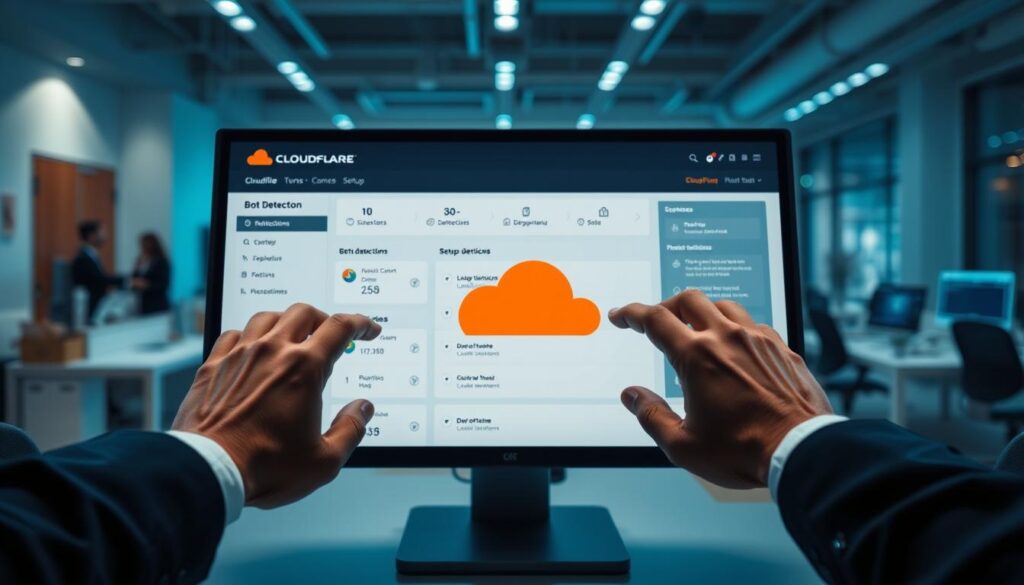
Go to dash.cloudflare.com and sign up with your business email. Inside the dashboard, find Turnstile in the left sidebar. Click it and choose “Add Site” to set up a new widget for your Shopify store.
You’ll need to pick a challenge mode. For Australian retailers, Managed mode is best. It offers good security without making shopping hard.
| Challenge Mode | Visibility | Best For |
|---|---|---|
| Managed | Shows widget only when needed | E-commerce stores with varied traffic |
| Non-Interactive | Runs silently in the background | Low-risk forms and newsletters |
| Invisible | Completely hidden from users | High-traffic pages needing minimal friction |
Generating Turnstile Site Keys and Secret Keys
After picking your mode, Cloudflare gives you two keys:
- Site Key (Public): You put this in your Shopify theme’s code.
- Secret Key (Private): Keep this safe on your server for checks.
Never share your secret key publicly or commit it to a public repository. Treat it like a password.
Configuring Domain Settings and Verification
You must add your main Shopify domain and all subdomains. This includes checkout.shopify.com for payments. Not doing this can break Turnstile on checkout pages.
After verifying your domains, you’re set to add the Turnstile widget to your Shopify checkout and forms.
Implementing Turnstile on Shopify Checkout and Forms
With your Cloudflare keys ready, it’s time to add Turnstile to your Shopify store. First, add the Turnstile script tag to your theme.liquid file. Place it before the closing </head> tag. This makes sure the widget works on every page without slowing it down.
Next, add the Turnstile widget <div> to important forms. Focus on these areas for better form security:
- Customer login and registration pages
- Contact and newsletter subscription forms
- Product review submission forms
- Checkout pages (Shopify Plus only for direct editing)
For Shopify Plus merchants, edit checkout.liquid directly. This adds strong checkout protection against fraud. Standard Shopify stores can protect other forms and use Shopify Scripts for checkout rules.
Protecting your checkout is the single most effective step you can take to stop payment fraud on your Shopify store.
Leading Australian brands like Cotton On and Showpo have seen a big drop in fraud. Up to 80% less. Turnstile quietly checks each visitor, stopping ddos bot attacks before they hit your payment gateway.
| Store Type | Forms Protected | Direct Checkout Editing | Fraud Reduction |
|---|---|---|---|
| Shopify Plus | All forms including checkout | Yes (checkout.liquid) | Up to 80% |
| Shopify Standard | Login, registration, contact forms | No (use Shopify Scripts) | Up to 60% |
| Shopify Basic | Login, registration, contact forms | No | Up to 50% |
Now that your form security is set up, you can make the widget look good with your Shopify theme.
Customising Turnstile Appearance for Your Shopify Theme
Your Turnstile widget should feel like a natural part of your store. It shouldn’t look like an add-on. With the right theme customisation, we can make cloudflare waf bot defence blend into your Shopify design. Turnstile has built-in light and dark modes, and custom CSS lets you go further.

Matching Brand Colours and Visual Elements
Turnstile supports light, dark, and auto themes right out of the box. We suggest using custom CSS to match your brand colours. Adjust border radius, background colour, and container styling to fit your forms and checkout pages.
- Set the theme parameter to match your store’s look.
- Use CSS overrides for padding, margins, and font styling.
- Keep the widget visually consistent with your call-to-action buttons.
Responsive Design Considerations for Mobile Commerce
About 65% of Australian online shopping happens on mobile devices. This makes mobile-responsive security essential. Make sure your Turnstile container uses flexible widths and proper viewport meta tags. A widget that breaks on smaller screens can hurt your conversion rates.
Theme Compatibility and Testing Across Devices
Australian merchants often use popular Shopify themes like Dawn, Debut, and Brooklyn. Each theme handles custom code blocks differently. Always test your theme customisation across multiple devices and browsers before going live.
| Shopify Theme | Turnstile Compatibility | Mobile Rendering | Custom CSS Support |
|---|---|---|---|
| Dawn | Excellent | Fully responsive | Full support |
| Debut | Good | Responsive with minor tweaks | Full support |
| Brooklyn | Good | Responsive with container adjustments | Partial — requires overrides |
Getting your cloudflare waf bot defence to look and feel right across every device builds trust with shoppers. Pairing strong mobile-responsive security with polished visuals keeps your store safe and inviting. Once your styling is locked in, it’s time to explore advanced bot management configuration.
Advanced Configuration for Cloudflare Bot Management
After setting up Turnstile on your Shopify store, it’s time to get more specific with your security. Cloudflare’s dashboard has advanced settings that go beyond basic bot challenges. These options help you create a strong security layer that fits your store’s needs.
Begin by creating custom rules to set different challenge levels for your site. Make sure your checkout and payment pages have stricter verification than your product browsing pages. This way, you keep the shopping experience smooth for regular customers while protecting the checkout process from bots.
For Australian businesses, setting up geographic restrictions is a smart move. You can make rules that apply stricter checks to traffic from areas known for high fraud rates. This helps protect your business from bots without blocking genuine customers from overseas.
Here are some key settings we recommend:
- Rate limiting on API endpoints and login pages to prevent brute-force attacks
- Custom challenge thresholds based on visitor behaviour and threat scores
- Integration with Cloudflare WAF rules for complete protection
- Country-specific verification levels for international traffic
| Page Type | Recommended Challenge Level | Rate Limit |
|---|---|---|
| Product Browsing | Managed (Passive) | 100 requests/min |
| Account Login | Interactive | 10 requests/min |
| Checkout | Strict Interactive | 5 requests/min |
| API Endpoints | Managed + Token Validation | 20 requests/min |
Advanced threat detection works best when you use multiple signals. Cloudflare’s threat score, combined with your custom rules, makes a strong shield. We suggest checking your analytics every week in the first month to adjust settings based on real traffic patterns hitting your Shopify store.
Testing and Troubleshooting Your Turnstile Implementation
After you’ve set up your Turnstile widget, make sure it works on all devices and browsers. It’s a good idea to test it with Cloudflare’s test keys first. This way, you can find and fix problems before they affect real customers.
Australian stores should schedule testing between 2–5 AM AEST to minimise disruption during peak shopping hours.
Common Integration Issues and Solutions
Our guide helps you solve common problems with Shopify Turnstile:
- Widget not rendering: Make sure your site key matches your Cloudflare domain.
- Token validation failures: Check that your secret key is in the right place in server-side code.
- Duplicate widget loading: Remove any extra Turnstile script calls in your theme files.
Debugging JavaScript Conflicts with Shopify Apps
Apps like Klaviyo and ReCharge can sometimes mess with Turnstile. This might make the widget freeze or not work. To fix this, change the script order in your layout/theme.liquid file. Put the Turnstile script after other app scripts, and use defer to control when it runs.
A single JavaScript conflict can block your entire checkout protection — catching it during integration testing saves revenue and trust.
Verifying Bot Protection Effectiveness
After you’ve set it up, check your Cloudflare analytics. A good sign is if more than 95% of users solve challenges. If you see a lot of failed challenges, it might mean bots are being blocked by Turnstile.
| Metric | Healthy Range | Needs Investigation |
|---|---|---|
| Challenge Solve Rate | 95–99% | Below 90% |
| Bot Detection Rate | 80–95% | Below 70% |
| Average Solve Time | Under 2 seconds | Over 5 seconds |
Check these metrics every week. This keeps your Shopify store safe and your checkout smooth for all customers.
Monitoring and Analytics for Bot Detection Performance
Setting up cloudflare bot protection is just the start. You must watch what happens next. We help our clients use the analytics dashboard in Cloudflare. They track real-time data on challenge solve rates, traffic origins, and bot-versus-human ratios.
Australian retailers are often surprised to learn that 15–30% of their total site traffic comes from bots. This is a big chunk that eats into server resources, distorts data, and poses security risks. Without tracking the right performance metrics, you’re flying blind.
Here’s what we recommend monitoring from day one:
- Challenge solve rates — the percentage of visitors who pass Turnstile checks
- Bot-to-human traffic ratios across different pages and forms
- Geographical patterns of suspicious traffic spikes
- False positive rates to ensure legitimate customers aren’t blocked
- Peak attack times and seasonal trends
We help clients establish a baseline during the first month of operation. This baseline feeds into ongoing rule adjustments. Your analytics dashboard shows which pages attract the most automated traffic. This helps you tighten or loosen rules where needed.
| Performance Metric | Healthy Range | Action Required |
|---|---|---|
| Challenge Solve Rate | 95–99% | Below 90% — check for false positives |
| Bot Traffic Ratio | Under 25% | Above 30% — review firewall rules |
| False Positive Rate | Under 1% | Above 2% — adjust sensitivity settings |
| Average Response Time | Under 300ms | Above 500ms — optimise widget placement |
Set up email or webhook alerts for unusual activity spikes. This way, your team can respond quickly before a bot surge impacts checkout availability or site speed. Combining these performance metrics with troubleshooting steps gives you a complete picture of your cloudflare bot protection health.
Best Practices for Maintaining Cloudflare Security Features
Setting up Turnstile is just the start. To really fight off bot attacks, Cloudflare tools need constant care. Think of your bot protection as a living thing that grows with new threats and your store’s growth.
Regular Updates and Security Patches
Make sure to check your Turnstile setup every three months. Cloudflare adds new features and fixes often. Keeping up means your store gets the best protection.
- Check Cloudflare’s security bulletins at least once a month for emerging threats
- Update your Turnstile widget code when new versions become available
- Review challenge sensitivity settings every quarter based on traffic patterns
- Audit your site key and secret key permissions to prevent misuse
Balancing Security with Customer Experience
Too tight security can block real customers. Watch your conversion data and bot detection together. If checkouts drop, your settings might be too strict.
Listen to what customers say about checkout. Use this feedback to adjust Turnstile. Aim for a smooth checkout for real shoppers while keeping bots out.
When to Contact Professional Shopify Developers
Some issues need expert help. Custom checkout flows, complex app integrations, and performance issues can be hard to fix alone.
A well-maintained security system protects not just your data but your brand’s reputation with every customer interaction.
If you’re stuck with integration or need custom security for your Australian business, contact us at hello@defyn.com.au. We’re experts in complex Shopify setups and can tailor your Cloudflare to fit your business needs.
Conclusion
Using Cloudflare Turnstile on your Shopify store is a smart move. It offers top-notch bot management without annoying your customers. We’ve shown you how to set it up, customise it, and keep it running smoothly.
Protecting your Australian e-commerce site is an ongoing task. Bot tactics change, and so must your defences. Stay ahead by updating regularly, checking analytics, and tweaking settings as needed.
Dealing with complex integrations or customising for your theme can be tough. But don’t worry, our team is here to assist. Contact us at hello@defyn.com.au for expert help to keep your store safe and efficient.
FAQ
What is Cloudflare Turnstile and how does it differ from traditional CAPTCHAs on Shopify?
What types of bot attack in Cloudflare can Turnstile protect my Shopify store against?
What do I need before implementing Turnstile on my Shopify store?
Which Turnstile mode should I choose for my Australian Shopify store?
Can I customise the Turnstile widget to match my Shopify theme’s branding?
How do I mitigate bot attacks with Cloudflare’s advanced configuration options?
What common issues might I encounter when integrating Turnstile with Shopify apps?
How can I monitor the effectiveness of my bot detection Cloudflare setup?
Will implementing Turnstile negatively affect my store’s conversion rates?
When should I contact a professional developer for Turnstile implementation on Shopify?
Insights
The latest from our knowledge base