Effective WordPress Malware Cleanup: Protect Your Site
Table of Content


-
Author

-
Published
13 Mar 2026
-
Reading Time
39 mins
Discovering your website has been hacked is a sinking feeling. It’s a common problem for Australian business owners. Your site might show strange content, redirect visitors, or trigger security warnings.
This isn’t just a technical issue. You’re losing money with each passing hour. Your customer trust is fading fast. Search engines are pushing your site down, while your competitors rise.
We’ve helped many businesses recover from malware attacks. We know how urgent this situation is. Immediate action is essential to fight these cyber threats. That’s why we’ve made this detailed guide on wordpress malware cleanup.
Our method combines technical skills with easy steps for you. We’ll teach you how to spot infections, remove bad code, and set up strong protection. This guide will help you protect your business’s online presence and regain customer trust.
Key Takeaways
- Infected websites cause immediate revenue loss and damage customer trust within hours of compromise
- Quick response to security breaches minimises damage and prevents further spread of malicious code
- Comprehensive wordpress website security cleanup requires both removing threats and implementing preventive measures
- Search engine rankings suffer significantly when sites display security warnings or suspicious behaviour
- Professional guidance helps Australian businesses navigate technical complexities while maintaining operations
- Long-term protection strategies prevent future attacks and create a secure digital foundation
1. Why WordPress Malware Is a Critical Threat to Australian Businesses
WordPress malware attacks are on the rise in Australia. These attacks are getting more common and sophisticated. What used to be rare incidents are now widespread campaigns targeting all businesses.
Malware attacks can harm your business more than just causing website downtime. Your entire business reputation hangs in the balance when malware hits your site. We’ve helped many Australian businesses recover from these attacks. Prevention is much cheaper than fixing the damage later.
The Growing Cyber Threat Landscape in Australia
Australian businesses face cyber attacks every day. The Australian Cyber Security Centre reported over 94,000 cybercrime reports last year. That’s one report every six minutes.
Small to medium enterprises are now 43% of all cyber attack victims in Australia. Hackers target businesses with weak security. WordPress sites are often hit because they’re so common in Australian commerce.
“Cybercrime costs the Australian economy about $29 billion a year. Small businesses bear a big part of these losses.”
The threat landscape keeps changing. Attackers use new methods that get past old security. We see automated bot networks scanning thousands of Australian websites every hour, looking for weaknesses.
Why WordPress Sites Are Prime Targets for Hackers
WordPress is used by over 40% of all websites worldwide. This makes it a big target for cybercriminals. But, WordPress itself isn’t the problem.
The real issues come from outdated plugins, weak passwords, and neglected updates. We found that outdated software causes 86% of WordPress security breaches we look into. Many business owners install plugins without thinking about the long-term security risks.
Hackers use these weaknesses to their advantage. They target sites with old themes or abandoned plugins. A thorough wordpress security malware scan can find these vulnerabilities before they’re exploited.
Default settings also create risks. WordPress sites with standard usernames, predictable passwords, or unprotected login pages are easy targets.
The Real Cost of a Compromised Website for Your Business
The financial damage from malware goes beyond just website downtime. We’ve seen the typical costs Australian businesses face after a security breach:
| Cost Category | Immediate Impact | Long-Term Consequences |
|---|---|---|
| Operational Disruption | Complete website shutdown, lost online sales, staff productivity loss | Customer migration to competitors, reduced market share |
| Technical Recovery | Emergency wordpress malware detection and removal services, server restoration costs | Enhanced security infrastructure investment, ongoing monitoring fees |
| Legal & Compliance | Privacy Act breach notifications, possible regulatory fines | Legal fees, compensation claims, increased insurance premiums |
| Reputation Damage | Google blacklisting, search ranking collapse, social media backlash | Years rebuilding customer trust, lost referral business, diminished brand value |
Average Australian SMEs lose between $25,000 and $85,000 after a big malware attack. This doesn’t include the intangible costs like employee morale or lost business chances.
Search engines act fast when they find compromised sites. Google might blacklist your domain in hours, killing your organic traffic overnight. Getting back from search engine penalties can take months, even after fixing the wordpress malware detection and removal.
Customer data breaches mean you have to notify customers under Australian privacy laws. We’ve seen businesses face class action lawsuits for not protecting customer data well enough. The damage to your reputation can be worse than the immediate financial loss.
The question isn’t whether you can afford wordpress security malware scan services. It’s whether your business can survive without focusing on security. Every day you wait makes you more vulnerable.
2. Recognising the Signs Your WordPress Site Has Been Infected
Your WordPress site can show signs of trouble if you know what to look for. It’s important for business owners to watch for these signs. Catching the problem early helps fix it faster and keeps your reputation safe.
2.1 Visible Warning Signs Every Site Owner Should Know
Visible signs are clear to see on your website. Unexpected pop-ups and strange content are big red flags. These could be pharma hacks or other malware.
Browser warnings and sudden drops in traffic are also signs. These changes need your attention right away.
Redirects to sites you don’t know are another warning. If links on your site lead to gambling or adult content, your site is hacked.
2.2 Behind-the-Scenes Indicators of Malware Infection
Technical signs show deeper problems. It’s key to check these regularly:
- Unexplained changes to WordPress files or dates
- New admin accounts you didn’t make
- Unknown plugins or themes in your dashboard
- Big jumps in server usage or bandwidth
- Strange database entries with odd code
Your hosting provider might reach out about server issues. Email services like Gmail might block your domain if it’s sending spam. These signs need professional wordpress malware cleanup.
2.3 Google Search Console and Security Warnings
Regularly check your Google Search Console for security warnings. Google scans for malware and flags hacked sites. Seeing “This site may be hacked” is bad for business.
Act fast if you see these signs. Delaying can cause more harm. Quick action protects your customers, data, and reputation.
3. Understanding Different Types of WordPress Malware
WordPress sites face various malware attacks, each with its own risks. Knowing these types helps you spot threats quickly. It also makes talking to security experts easier when you need help.
Understanding malware types is key to avoiding security issues. Let’s look at the most common types affecting Australian businesses today.
Backdoors and Their Long-Term Implications
Backdoors are sneaky security threats. They’re hidden ways for hackers to get back in, even after you’ve cleaned up. They’re often hidden in normal files or server directories.
Backdoors can stay hidden for months or years. They let hackers access your site, database, and customer info.
Businesses might not know they have backdoors. This can lead to data theft, new malware, or illegal activities. The risks include repeated infections, data breaches, and legal trouble.
Pharma Hacks and SEO Spam Injections
Pharma hacks add spam for drugs, hidden from admins but seen by search engines and visitors. They harm your SEO and reputation.
These attacks can undo years of SEO work. Google quickly spots and punishes sites with spam, dropping your rankings.
Recovering from a pharma hack can take 3-6 months, even after removing malware.
Customers see spam instead of your content. This destroys trust and credibility you’ve built over years.
Malicious Redirects and Drive-By Downloads
Malicious redirects send visitors to scam sites or malware without their consent. These redirects target search engines or specific locations to avoid detection.
Drive-by downloads infect visitors’ computers without their knowledge. This puts your business at risk, as your site spreads malware.
Australian laws may hold you responsible for harm from your compromised site. Quick detection and removal are critical.
Database Injections and Code Exploits
Database injections add malicious code to your WordPress database. This affects posts, pages, user data, and site settings. These infections are hard to detect because they bypass traditional security.
Code exploits target vulnerabilities in plugins, themes, or WordPress core files. They let hackers execute code on your server. This can modify files, create admin accounts, or install more malware.
Each malware type needs a specific cleanup approach and security measures. Trying to clean infected wordpress website files without expertise often fails. This leaves your site open to reinfection.
4. Essential WordPress Malware Cleanup: Step-by-Step Process
A hacked WordPress site needs more than just quick fixes. It needs a detailed, step-by-step fix. We suggest a systematic approach to clean infected wordpress website elements. This ensures your business’s reputation is safe and all malware is removed.
4.1 Immediate Actions to Take When You Detect Malware
When you find out your site has been hacked, acting fast is key. First, change all passwords. This includes WordPress admin, hosting, database, and FTP access.
Turn on maintenance mode right away. This stops visitors from seeing threats and keeps your site’s ranking safe.
Take screenshots of any odd behaviour and note any unusual files or error messages. This info is key to finding how the hackers got in.
Quickly contact your hosting provider. They can give you server logs that show when and how the hackers got in. Many hosting companies in Australia have security teams that can help.
4.2 Isolating Your Site and Taking It Offline Safely
Putting your site offline might seem extreme, but it’s necessary. It stops malware from spreading and prevents search engines from blacklisting your site.
Use maintenance mode plugins instead of deleting your site. These plugins show a professional message and block access to infected areas.
Don’t just redirect your site to another page. This can cause more problems and confuse visitors who have bookmarked pages.
4.3 Conducting a Comprehensive Malware Scan
Security plugins like Wordfence, Sucuri, and MalCare are your first defence. They do WordPress security malware scans to find common threats.
But, some malware can slip past these scans. We also do manual checks to catch these hidden threats.
Run different scanning tools if you can. Each one uses different methods, so one might find threats the others miss.
4.4 Manual File Inspection and Database Cleaning
Manual checks are the most reliable way to remove malware from wordpress site installations. We compare your site to clean core files from the official WordPress repository.
Start by checking files that have been recently changed. Hackers often leave timestamps. Also, check image folders for PHP files that shouldn’t be there.
Look for injected code in your database. Search for common patterns. We check functions.php files in themes and look for base64 encoded strings and eval() functions.
Cleaning your database needs SQL skills and caution. One wrong query can ruin your site. If you’re not skilled in database management, get professional help.
4.5 Restoring from Clean Backups When Possible
Using clean backups is the quickest way to get your site back. But, you must also find and fix the security hole that let the hackers in.
Make sure your backup is clean before you restore it. Some malware can wait weeks to activate, so your backup might already be infected.
After restoring, update all passwords and make your site more secure. The same weakness that let the hackers in will let them in again unless you fix it.
If you’re having trouble with the cleanup process, contact hello@defyn.com.au. We can help you fix hacked wordpress site problems professionally and completely. We make sure your business is safe from malware.
5. Professional WordPress Security Malware Scan Tools Worth Using
Effective malware detection needs a mix of scanning methods. We’ve tested many security solutions on hundreds of Australian business sites. The best tools combine plugin-based and server-level scanning for top protection.
5.1 Leading Security Plugins for Detection and Removal
Several security plugins are top for wordpress security malware scan. Wordfence scans thoroughly with detailed threat info, including firewall and two-factor auth. Sucuri detects malware well and offers professional cleanup when needed.
MalCare is great for automated malware removal with few false positives. iThemes Security scans and hardens your site to prevent future threats. All-In-One WP Security is free and offers solid scanning for budget-friendly businesses.
These plugins check your files, databases, and settings against known malware. But, remember, sophisticated malware can hide from these tools or disable them. So, layered security is key.
5.2 Server-Level Scanning Solutions
Server-level scanning offers deeper protection outside of WordPress. Tools like ClamAV, Linux Malware Detect (LMD), and your host’s security systems are hard for malware to evade.
Ask your hosting provider about their server-level scanning. Many Australian hosts offer these tools as standard, adding extra protection under your WordPress.
5.3 When to Invest in Professional WordPress Virus Removal Services
Invest in a wordpress virus removal service in certain situations. Do it if you’re not tech-savvy, if automated tools can’t fix the issue, or if your site keeps getting infected.
Also, seek professional help if you handle sensitive data, face Google blacklist issues, or need guaranteed cleanup with legal proof. Experts offer malware forensics, security hardening, and ongoing monitoring to catch threats early.
The cost is small compared to downtime or data breach risks. If you’re having trouble with WordPress or need malware removal, email hello@defyn.com.au. We offer tailored security solutions for Australian businesses.
6. Why DIY WordPress Hack Removal Can Be Dangerously Inadequate
It’s tempting to try to fix a wordpress hack removal yourself when your site gets hit. It seems like a quick fix and gives you control. But, we’ve seen many Australian sites where DIY efforts missed hidden threats, leading to more problems.
Trying to clean up malware yourself can make you feel safe, but it often leaves your site open to more attacks.
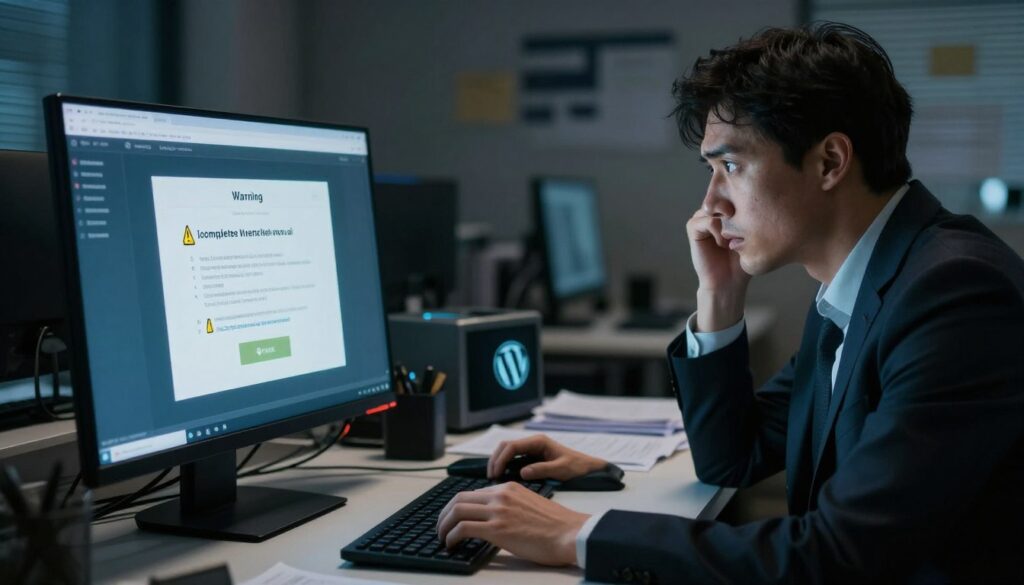
6.1 The Hidden Dangers of Incomplete Cleanup
The main risk of DIY wordpress hack removal is not getting rid of all the malware. Malware doesn’t just sit in one place on your site.
Today’s malware spreads across different parts of your site. This includes WordPress files, database tables, server settings, and even areas outside your WordPress folder. If you only remove what’s obvious, hackers can keep getting in.
Business owners often spend months dealing with the same problem because they didn’t fix the root cause. The malware comes back, sometimes worse than before.
6.2 Common Mistakes That Leave Persistent Vulnerabilities
Trying to remove malware from wordpress site without help can lead to big mistakes. These mistakes leave your site open to more attacks.
The most common errors include:
- Relying too much on automated scans without checking files manually
- Deleting infected files without understanding why they were targeted
- Ignoring database infections while focusing on file-level malware
- Failing to find the initial entry point that hackers used
- Not checking for multiple types of malware that can exist together
- Not looking at server-level issues that go beyond WordPress
- Changing some passwords but not all, leaving important access points open
Many business owners focus on removing malware but forget to fix the vulnerability that let it in. This almost guarantees it will come back soon.
6.3 The Value of Expert Intervention for Clean Infected WordPress Websites
Modern malware is too complex for most DIY efforts. We’re seeing threats that change to avoid detection and stay hidden after basic cleanups.
These threats include malware that changes its form to evade scans, payloads that start weeks after installation, and backdoors that look like normal WordPress code.
Getting help from experts offers many benefits. Professionals do a deep dive to find all infection points, fix vulnerabilities, and make sure all malware is gone. They also harden your site’s security to prevent future attacks.
If you’re having trouble removing malware from your wordpress site or keep getting hit after trying to fix it yourself, reach out to hello@defyn.com.au. We’ll make sure your site is thoroughly cleaned and secured for your Australian business.
7. Hardening Your WordPress Site After Malware Removal
After fixing your hacked wordpress site, it’s time to stop future attacks. Removing malware is just the start. The steps you take now will keep your site safe or make it vulnerable again.
Think of hardening as adding layers of defense for your business. Each security step makes it harder for attackers to get in.
Changing All Passwords and Access Credentials
Your first step is to change every password and credential for your WordPress site. We assume all old passwords were hacked. This is a must-do.
Update passwords for admin accounts, database access, FTP, SFTP, hosting, and third-party services. Use strong, unique passwords from a password manager, not easy-to-remember phrases.
Weak passwords lead to more attacks. Aim for passwords with 16 characters, mixing uppercase, lowercase, numbers, and symbols.
Updating WordPress Core, Themes, and Plugins
Outdated software is a common way sites get hacked. Attackers look for vulnerabilities in old WordPress, themes, and plugins.
Update WordPress core right away. Check your themes and plugins. Delete unused ones. Update active plugins and remove unused ones.
If you found pirated themes or plugins, replace them with real ones. Enable automatic updates for WordPress to keep your site safe.
Implementing Two-Factor Authentication
Two-factor authentication (2FA) is a key security feature we add to every site. Even if hackers get passwords, they can’t log in without the second factor.
Use plugins like Wordfence Login Security or WP 2FA to turn on 2FA. Make 2FA mandatory for all admin accounts. This step blocks many unauthorised access attempts.
File Permission Settings and Security Headers
Right file permissions stop unauthorised changes to your WordPress files. Directories should be 755, files 644. Set wp-config.php to 440 or 400.
Security headers protect against many attacks. Use Content Security Policy, X-Frame-Options, X-Content-Type-Options, and Strict-Transport-Security headers. You can set these through your hosting or security plugins.
We also suggest disabling file editing in WordPress, limiting login attempts, and changing the “admin” username. Hide WordPress version info and disable XML-RPC if not needed. A complete wordpress website security cleanup needs all these layers working together to protect your business.
8. Proactive WordPress Website Security Cleanup Strategies
Preventing WordPress malware is better than cleaning up after an attack. It’s more cost-effective for Australian businesses. A proactive approach to wordpress website security cleanup protects your investment and keeps your site running smoothly.
Building robust security requires ongoing commitment, not one-time fixes. Let’s explore the essential strategies that create a strong defence system for your WordPress site.
Regular Security Audits and Continuous Monitoring
Security audits should happen at least every quarter for most businesses. High-value sites need more frequent reviews. These audits check every aspect of your site’s security.
Your audit checklist should include:
- Reviewing user accounts and permission levels
- Checking for outdated software components
- Scanning for malware and vulnerabilities
- Examining server and access logs for suspicious activity
- Testing backup restoration procedures
- Verifying security configurations remain intact
Continuous monitoring gives real-time alerts for suspicious activity. We use systems that track file changes, failed login attempts, and more. Services like Sucuri, Wordfence Premium, or host-provided monitoring create an early warning system for quick response.
This mix of regular audits and continuous monitoring greatly reduces wordpress malware detection and removal incidents before they happen.

Scheduled Backups and Disaster Recovery Plans
Scheduled backups are your insurance against data loss and security breaches. We recommend daily backups for active sites, stored in multiple locations including off-server storage.
Your backup strategy must include:
- Automated scheduling that runs reliably
- Verification that backups complete successfully
- Regular restoration testing (quarterly minimum)
- Retention policies balancing storage costs with recovery options
- Documented recovery procedures anyone on your team can follow
We’ve seen many Australian businesses find their backups were corrupted or incomplete when they needed them most. Testing your restoration process is as important as creating backups.
A solid disaster recovery plan outlines what happens when something goes wrong. It includes contact information, step-by-step procedures, and clear responsibilities for your team.
Web Application Firewalls and CDN Protection
Web Application Firewalls (WAFs) filter malicious traffic before it reaches your WordPress site. They block common attack patterns and known threats automatically. Solutions like Cloudflare, Sucuri Firewall, or Wordfence provide excellent protection layers.
CDN protection adds performance benefits while distributing DDoS attack traffic. It provides additional security layers that protect your site from multiple threat vectors simultaneously.
The table below compares key proactive security measures:
| Security Strategy | Implementation Frequency | Protection Level | Business Impact |
|---|---|---|---|
| Security Audits | Quarterly (minimum) | High – identifies vulnerabilities | Prevents future breaches |
| Continuous Monitoring | 24/7 automated | Very High – real-time detection | Enables immediate response |
| Scheduled Backups | Daily for active sites | Critical – ensures recovery | Minimises downtime |
| WAF Protection | Always active | Very High – blocks attacks | Reduces security incidents |
Together, these proactive measures create a strong defence system that minimises security incidents. Australian businesses that implement these strategies experience fewer disruptions and lower overall security costs.
9. Australian Business Compliance and Security Standards
Effective wordpress malware cleanup is linked to important Australian rules that every business owner must know. We guide businesses through these complex rules while protecting their digital and legal sides. It’s more than just removing bad code from your site.
Security issues lead to legal duties that change based on the industry and data type. Knowing these rules before a problem happens makes fixing it quicker and cheaper. We’ve helped many Australian businesses deal with the tech and law mix.
Privacy Act and Data Breach Notification Requirements
The Privacy Act 1988 and the Notifiable Data Breaches (NDB) scheme have strict reporting rules for data breaches. If your WordPress site gets hacked and could harm people, you must tell those affected and the OAIC quickly.
“Serious harm” means physical, mental, emotional, financial, or reputation damage. We’ve seen businesses struggle with this, often not knowing their duties or delaying important notices.
The NDB scheme has three main checks. First, see if there was unauthorised access or sharing. Second, decide if it could cause serious harm. Third, figure out if fixing it stops that harm.
Many businesses make things worse by delaying these checks. Quick wordpress malware cleanup is key to meet these deadlines. The stress and damage from having to notify people make prevention vital for your business.
Industry-Specific Security Obligations for Australian Businesses
Different sectors have extra rules beyond the Privacy Act. Healthcare providers have more privacy rules for health info. Financial services must follow APRA standards and industry codes for security.
E-commerce sites need PCI DSS for payment cards. Malware breaks these rules, leading to big fines and losing the right to process payments. Education providers must protect student data with special measures.
The table below shows key rules for each industry:
| Industry Sector | Primary Regulation | Key Security Requirement | Breach Consequences |
|---|---|---|---|
| Healthcare | Privacy Act + Health Records Acts | Enhanced data protection for health information | OAIC penalties + state-level sanctions |
| Financial Services | APRA Standards + Privacy Act | Comprehensive information security frameworks | Regulatory action + reputational damage |
| E-commerce | PCI DSS + Privacy Act | Payment card data security standards | Fines up to $500,000 + merchant account loss |
| Education | Privacy Act + State Education Acts | Student data protection measures | Regulatory sanctions + parent trust erosion |
We help businesses understand how these rules affect their wordpress malware cleanup and prevention plans. Compliance is not optional—it’s a key business duty with serious financial and legal outcomes.
Customer Trust and Reputation Management in the Australian Market
Building trust in the Australian market is difficult and can be lost quickly. Australians are very concerned about security, and news of breaches spreads fast. We’ve seen businesses lose years of reputation from one security issue.
Your security isn’t just a tech issue—it’s a business asset that sets you apart. Being proactive with wordpress malware cleanup, being open about security, and responding quickly to incidents shows professionalism. Australian customers expect this.
The Australian business world is small and connected. News of security failures spreads fast. But, businesses known for strong security build advantages that help attract and keep customers.
We’ve seen this with our clients. Those who focus on security and wordpress malware cleanup as prevention do better in customer trust. Security is part of your brand promise, not just an IT task.
10. Conclusion
Your WordPress site is a key part of your business. It needs constant care to keep it safe. This is because the online world is getting more dangerous every day.
We’ve looked at ways to find, remove, and stop malware. The truth is, keeping your site safe is a big job. It needs quick action and careful watching all the time. Businesses in Australia can’t just wait for trouble to happen.
Many business owners don’t have the time or know-how to keep their sites secure. That’s where a professional wordpress virus removal service comes in. They handle the hard stuff so you can focus on growing your business. Getting expert security is a small price to pay for avoiding big problems.
We offer top-notch malware cleanup, security setup, and ongoing protection for Australian businesses. Our team gets the local rules and market needs.
If you’re having trouble with your WordPress site or need security help, email hello@defyn.com.au. We’re here to give you the support, knowledge, and peace of mind your business needs. Don’t wait until it’s too late.
FAQ
How quickly should I act when I discover malware on my WordPress site?
Can I remove malware from my WordPress site myself, or do I need professional help?
What’s the difference between free security plugins and paid malware removal services?
How do hackers typically gain access to WordPress sites?
Will Google blacklist my site if it’s infected with malware?
How can I tell if my WordPress site has been completely cleaned of malware?
What should I do if my hosting provider suspends my account due to malware?
Are there specific security risks for Australian businesses using WordPress?
How often should I perform security scans on my WordPress site?
What happens if I restore my site from a backup after a malware infection?
Can malware infections affect my WordPress site’s search engine rankings permanently?
What’s the typical cost of professional WordPress malware removal in Australia?
How quickly should I act when I discover malware on my WordPress site?
Can I remove malware from my WordPress site myself, or do I need professional help?
What’s the difference between free security plugins and paid malware removal services?
How do hackers typically gain access to WordPress sites?
Will Google blacklist my site if it’s infected with malware?
How can I tell if my WordPress site has been completely cleaned of malware?
What should I do if my hosting provider suspends my account due to malware?
Are there specific security risks for Australian businesses using WordPress?
How often should I perform security scans on my WordPress site?
What happens if I restore my site from a backup after a malware infection?
Can malware infections affect my WordPress site’s search engine rankings permanently?
What’s the typical cost of professional WordPress malware removal in Australia?
FAQ
How quickly should I act when I discover malware on my WordPress site?
Take action right away if you find malware on your WordPress site. Delaying can lead to serious damage. Malware can steal data, spread to devices, harm your rankings, and give hackers access.
First, change passwords, enable maintenance mode, and contact your host. If you’re not sure what to do, call professional services like hello@defyn.com.au. Waiting too long can cost you thousands and years of SEO work.
Can I remove malware from my WordPress site myself, or do I need professional help?
Basic infections might be fixed with security plugins and knowledge. But, modern malware is complex. It can hide in multiple places and include backdoors.
Professional services offer thorough scans, forensic analysis, and security hardening. They ensure your site is clean. If you’re unsure or handle sensitive data, professional help is essential.
What’s the difference between free security plugins and paid malware removal services?
Free plugins like Wordfence can detect common infections. But, they have limits for serious cases. They rely on signature-based detection and lack forensic analysis.
Paid services offer human expertise and server-level access. They guarantee cleanup and provide ongoing support. For prevention, use free plugins. But, for serious infections, professional services are better.
How do hackers typically gain access to WordPress sites?
Hackers often use outdated plugins and weak passwords. Nulled themes and insecure hosting are also common entry points. Keeping everything updated and using strong passwords helps prevent this.
If you struggle with security, contact hello@defyn.com.au. We can help with wordpress website security cleanup and hardening.
Will Google blacklist my site if it’s infected with malware?
Yes, Google scans for malware and will blacklist sites. This can devastate your traffic. We’ve seen businesses lose 95% of their traffic overnight.
To get removed from Google’s blacklist, you need to clean your site completely. This process can take days to weeks. Prevention is better than recovery.
How can I tell if my WordPress site has been completely cleaned of malware?
Verifying cleanup requires multiple methods. Run scans with different security plugins and manually check files. Check your database and server logs for suspicious activity.
Professional services use forensic tools to ensure complete removal. If your site gets reinfected, the cleanup was incomplete. This indicates the need for professional help.
What should I do if my hosting provider suspends my account due to malware?
Contact your host immediately to understand their concerns. Most hosts require complete cleanup before restoring access. Request temporary access to your site files and database.
After cleaning, update your site and implement security hardening. Some hosts offer malware cleanup services. We can help if your hosting account is suspended.
Are there specific security risks for Australian businesses using WordPress?
Australian businesses face the same technical vulnerabilities as global sites. The Privacy Act and Notifiable Data Breaches scheme impose legal obligations. Cybercriminals target Australian businesses as lucrative targets.
Industry-specific regulations add complexity. We help Australian businesses navigate these challenges while implementing robust security strategies.
How often should I perform security scans on my WordPress site?
Continuous monitoring is better than periodic scanning. Use security plugins with real-time monitoring. This catches infections early.
For scheduled scans, daily scans are best for critical sites. Weekly scans are suitable for standard sites. Monthly scans are the minimum for any site. Regular audits and immediate scans after changes are also important.
What happens if I restore my site from a backup after a malware infection?
Restoring from backups can be effective but requires careful consideration. The backup must pre-date the infection. You must identify and close the security vulnerability that allowed the initial compromise.
After restoration, update WordPress core, plugins, and themes. Change all passwords and implement security hardening. We’ve seen businesses restore backups only to be reinfected within hours. Professional assistance ensures you don’t accidentally restore compromised data.
Can malware infections affect my WordPress site’s search engine rankings permanently?
Malware can severely damage your search engine rankings. But, prompt action can prevent permanent damage. During active infection, Google may deindex pages and display security warnings.
Malware often injects spam content and links that violate Google’s quality guidelines. We’ve seen sites lose years of SEO work within days. Rankings can recover with thorough cleanup and removal of injected content. The recovery time depends on how quickly you address the infection and how thoroughly you remove malicious content.
What’s the typical cost of professional WordPress malware removal in Australia?
Professional wordpress virus removal service costs in Australia range from 0 to ,000+ depending on infection severity and site complexity. Basic malware removal for straightforward infections costs 0-0. Standard cleanup involving multiple infection types and database cleaning costs 0-
FAQ
How quickly should I act when I discover malware on my WordPress site?
Take action right away if you find malware on your WordPress site. Delaying can lead to serious damage. Malware can steal data, spread to devices, harm your rankings, and give hackers access.
First, change passwords, enable maintenance mode, and contact your host. If you’re not sure what to do, call professional services like hello@defyn.com.au. Waiting too long can cost you thousands and years of SEO work.
Can I remove malware from my WordPress site myself, or do I need professional help?
Basic infections might be fixed with security plugins and knowledge. But, modern malware is complex. It can hide in multiple places and include backdoors.
Professional services offer thorough scans, forensic analysis, and security hardening. They ensure your site is clean. If you’re unsure or handle sensitive data, professional help is essential.
What’s the difference between free security plugins and paid malware removal services?
Free plugins like Wordfence can detect common infections. But, they have limits for serious cases. They rely on signature-based detection and lack forensic analysis.
Paid services offer human expertise and server-level access. They guarantee cleanup and provide ongoing support. For prevention, use free plugins. But, for serious infections, professional services are better.
How do hackers typically gain access to WordPress sites?
Hackers often use outdated plugins and weak passwords. Nulled themes and insecure hosting are also common entry points. Keeping everything updated and using strong passwords helps prevent this.
If you struggle with security, contact hello@defyn.com.au. We can help with wordpress website security cleanup and hardening.
Will Google blacklist my site if it’s infected with malware?
Yes, Google scans for malware and will blacklist sites. This can devastate your traffic. We’ve seen businesses lose 95% of their traffic overnight.
To get removed from Google’s blacklist, you need to clean your site completely. This process can take days to weeks. Prevention is better than recovery.
How can I tell if my WordPress site has been completely cleaned of malware?
Verifying cleanup requires multiple methods. Run scans with different security plugins and manually check files. Check your database and server logs for suspicious activity.
Professional services use forensic tools to ensure complete removal. If your site gets reinfected, the cleanup was incomplete. This indicates the need for professional help.
What should I do if my hosting provider suspends my account due to malware?
Contact your host immediately to understand their concerns. Most hosts require complete cleanup before restoring access. Request temporary access to your site files and database.
After cleaning, update your site and implement security hardening. Some hosts offer malware cleanup services. We can help if your hosting account is suspended.
Are there specific security risks for Australian businesses using WordPress?
Australian businesses face the same technical vulnerabilities as global sites. The Privacy Act and Notifiable Data Breaches scheme impose legal obligations. Cybercriminals target Australian businesses as lucrative targets.
Industry-specific regulations add complexity. We help Australian businesses navigate these challenges while implementing robust security strategies.
How often should I perform security scans on my WordPress site?
Continuous monitoring is better than periodic scanning. Use security plugins with real-time monitoring. This catches infections early.
For scheduled scans, daily scans are best for critical sites. Weekly scans are suitable for standard sites. Monthly scans are the minimum for any site. Regular audits and immediate scans after changes are also important.
What happens if I restore my site from a backup after a malware infection?
Restoring from backups can be effective but requires careful consideration. The backup must pre-date the infection. You must identify and close the security vulnerability that allowed the initial compromise.
After restoration, update WordPress core, plugins, and themes. Change all passwords and implement security hardening. We’ve seen businesses restore backups only to be reinfected within hours. Professional assistance ensures you don’t accidentally restore compromised data.
Can malware infections affect my WordPress site’s search engine rankings permanently?
Malware can severely damage your search engine rankings. But, prompt action can prevent permanent damage. During active infection, Google may deindex pages and display security warnings.
Malware often injects spam content and links that violate Google’s quality guidelines. We’ve seen sites lose years of SEO work within days. Rankings can recover with thorough cleanup and removal of injected content. The recovery time depends on how quickly you address the infection and how thoroughly you remove malicious content.
What’s the typical cost of professional WordPress malware removal in Australia?
Professional wordpress virus removal service costs in Australia range from $300 to $2,000+ depending on infection severity and site complexity. Basic malware removal for straightforward infections costs $300-$600. Standard cleanup involving multiple infection types and database cleaning costs $600-$1,200.
Complex remediation for sophisticated malware and extensive database infections costs $1,200-$2,000+. Emergency services with same-day response requirements usually include premium fees. These prices include complete malware removal, backdoor identification and elimination, security vulnerability patching, and basic hardening implementation. Professional cleanup is business insurance that’s far cheaper than the alternatives.
How do I prevent WordPress malware infections in the first place?
Prevention requires multiple security layers working together. Keep everything updated—WordPress core, all plugins, and themes. Use strong, unique passwords for all accounts managed through password managers.
Implement two-factor authentication on all administrator accounts. Choose quality hosting providers with proactive security measures. Install reputable security plugins providing firewall protection, malware scanning, and login security.
Limit login attempts and ban IP addresses with suspicious activity patterns. Delete unused plugins and themes. Only install plugins and themes from trusted sources. Regularly backup your site with off-server storage and test restoration procedures.
What’s the difference between malware, viruses, and hacking in WordPress context?
These terms are often used interchangeably but have distinct meanings. Malware is the umbrella term for any malicious software or code. Viruses refer to self-replicating malicious code that spreads from file to file or site to site.
Hacking describes the unauthorised access to your site by attackers, which may or may not involve malware installation. In practical terms for WordPress sites, we typically see malware infections that include backdoors, pharma hacks, malicious redirects, database injections, and exploit code. These result from hacking activities where attackers gained access through vulnerabilities and installed malicious code.
Should I change hosting providers after a malware infection?
Not necessarily—the decision depends on specific circumstances. Most WordPress infections result from website-level vulnerabilities (outdated plugins, weak passwords) and not hosting security failures. If your host provided timely notification and has robust server-level security, there’s no need to change hosts.
Consider switching if your host was unresponsive during the crisis, lacks basic security features, runs outdated server software, or houses your site on overcrowded shared servers. Quality hosts like WP Engine, Kinsta, or Australian providers with strong security reputations offer significant protection advantages. After completing wordpress malware cleanup, evaluate your host objectively—if they’re part of the problem, migration makes sense.
,200.
Complex remediation for sophisticated malware and extensive database infections costs
FAQ
How quickly should I act when I discover malware on my WordPress site?
Take action right away if you find malware on your WordPress site. Delaying can lead to serious damage. Malware can steal data, spread to devices, harm your rankings, and give hackers access.
First, change passwords, enable maintenance mode, and contact your host. If you’re not sure what to do, call professional services like hello@defyn.com.au. Waiting too long can cost you thousands and years of SEO work.
Can I remove malware from my WordPress site myself, or do I need professional help?
Basic infections might be fixed with security plugins and knowledge. But, modern malware is complex. It can hide in multiple places and include backdoors.
Professional services offer thorough scans, forensic analysis, and security hardening. They ensure your site is clean. If you’re unsure or handle sensitive data, professional help is essential.
What’s the difference between free security plugins and paid malware removal services?
Free plugins like Wordfence can detect common infections. But, they have limits for serious cases. They rely on signature-based detection and lack forensic analysis.
Paid services offer human expertise and server-level access. They guarantee cleanup and provide ongoing support. For prevention, use free plugins. But, for serious infections, professional services are better.
How do hackers typically gain access to WordPress sites?
Hackers often use outdated plugins and weak passwords. Nulled themes and insecure hosting are also common entry points. Keeping everything updated and using strong passwords helps prevent this.
If you struggle with security, contact hello@defyn.com.au. We can help with wordpress website security cleanup and hardening.
Will Google blacklist my site if it’s infected with malware?
Yes, Google scans for malware and will blacklist sites. This can devastate your traffic. We’ve seen businesses lose 95% of their traffic overnight.
To get removed from Google’s blacklist, you need to clean your site completely. This process can take days to weeks. Prevention is better than recovery.
How can I tell if my WordPress site has been completely cleaned of malware?
Verifying cleanup requires multiple methods. Run scans with different security plugins and manually check files. Check your database and server logs for suspicious activity.
Professional services use forensic tools to ensure complete removal. If your site gets reinfected, the cleanup was incomplete. This indicates the need for professional help.
What should I do if my hosting provider suspends my account due to malware?
Contact your host immediately to understand their concerns. Most hosts require complete cleanup before restoring access. Request temporary access to your site files and database.
After cleaning, update your site and implement security hardening. Some hosts offer malware cleanup services. We can help if your hosting account is suspended.
Are there specific security risks for Australian businesses using WordPress?
Australian businesses face the same technical vulnerabilities as global sites. The Privacy Act and Notifiable Data Breaches scheme impose legal obligations. Cybercriminals target Australian businesses as lucrative targets.
Industry-specific regulations add complexity. We help Australian businesses navigate these challenges while implementing robust security strategies.
How often should I perform security scans on my WordPress site?
Continuous monitoring is better than periodic scanning. Use security plugins with real-time monitoring. This catches infections early.
For scheduled scans, daily scans are best for critical sites. Weekly scans are suitable for standard sites. Monthly scans are the minimum for any site. Regular audits and immediate scans after changes are also important.
What happens if I restore my site from a backup after a malware infection?
Restoring from backups can be effective but requires careful consideration. The backup must pre-date the infection. You must identify and close the security vulnerability that allowed the initial compromise.
After restoration, update WordPress core, plugins, and themes. Change all passwords and implement security hardening. We’ve seen businesses restore backups only to be reinfected within hours. Professional assistance ensures you don’t accidentally restore compromised data.
Can malware infections affect my WordPress site’s search engine rankings permanently?
Malware can severely damage your search engine rankings. But, prompt action can prevent permanent damage. During active infection, Google may deindex pages and display security warnings.
Malware often injects spam content and links that violate Google’s quality guidelines. We’ve seen sites lose years of SEO work within days. Rankings can recover with thorough cleanup and removal of injected content. The recovery time depends on how quickly you address the infection and how thoroughly you remove malicious content.
What’s the typical cost of professional WordPress malware removal in Australia?
Professional wordpress virus removal service costs in Australia range from $300 to $2,000+ depending on infection severity and site complexity. Basic malware removal for straightforward infections costs $300-$600. Standard cleanup involving multiple infection types and database cleaning costs $600-$1,200.
Complex remediation for sophisticated malware and extensive database infections costs $1,200-$2,000+. Emergency services with same-day response requirements usually include premium fees. These prices include complete malware removal, backdoor identification and elimination, security vulnerability patching, and basic hardening implementation. Professional cleanup is business insurance that’s far cheaper than the alternatives.
How do I prevent WordPress malware infections in the first place?
Prevention requires multiple security layers working together. Keep everything updated—WordPress core, all plugins, and themes. Use strong, unique passwords for all accounts managed through password managers.
Implement two-factor authentication on all administrator accounts. Choose quality hosting providers with proactive security measures. Install reputable security plugins providing firewall protection, malware scanning, and login security.
Limit login attempts and ban IP addresses with suspicious activity patterns. Delete unused plugins and themes. Only install plugins and themes from trusted sources. Regularly backup your site with off-server storage and test restoration procedures.
What’s the difference between malware, viruses, and hacking in WordPress context?
These terms are often used interchangeably but have distinct meanings. Malware is the umbrella term for any malicious software or code. Viruses refer to self-replicating malicious code that spreads from file to file or site to site.
Hacking describes the unauthorised access to your site by attackers, which may or may not involve malware installation. In practical terms for WordPress sites, we typically see malware infections that include backdoors, pharma hacks, malicious redirects, database injections, and exploit code. These result from hacking activities where attackers gained access through vulnerabilities and installed malicious code.
Should I change hosting providers after a malware infection?
Not necessarily—the decision depends on specific circumstances. Most WordPress infections result from website-level vulnerabilities (outdated plugins, weak passwords) and not hosting security failures. If your host provided timely notification and has robust server-level security, there’s no need to change hosts.
Consider switching if your host was unresponsive during the crisis, lacks basic security features, runs outdated server software, or houses your site on overcrowded shared servers. Quality hosts like WP Engine, Kinsta, or Australian providers with strong security reputations offer significant protection advantages. After completing wordpress malware cleanup, evaluate your host objectively—if they’re part of the problem, migration makes sense.
,200-,000+. Emergency services with same-day response requirements usually include premium fees. These prices include complete malware removal, backdoor identification and elimination, security vulnerability patching, and basic hardening implementation. Professional cleanup is business insurance that’s far cheaper than the alternatives.
How do I prevent WordPress malware infections in the first place?
Prevention requires multiple security layers working together. Keep everything updated—WordPress core, all plugins, and themes. Use strong, unique passwords for all accounts managed through password managers.
Implement two-factor authentication on all administrator accounts. Choose quality hosting providers with proactive security measures. Install reputable security plugins providing firewall protection, malware scanning, and login security.
Limit login attempts and ban IP addresses with suspicious activity patterns. Delete unused plugins and themes. Only install plugins and themes from trusted sources. Regularly backup your site with off-server storage and test restoration procedures.
What’s the difference between malware, viruses, and hacking in WordPress context?
These terms are often used interchangeably but have distinct meanings. Malware is the umbrella term for any malicious software or code. Viruses refer to self-replicating malicious code that spreads from file to file or site to site.
Hacking describes the unauthorised access to your site by attackers, which may or may not involve malware installation. In practical terms for WordPress sites, we typically see malware infections that include backdoors, pharma hacks, malicious redirects, database injections, and exploit code. These result from hacking activities where attackers gained access through vulnerabilities and installed malicious code.
Should I change hosting providers after a malware infection?
Not necessarily—the decision depends on specific circumstances. Most WordPress infections result from website-level vulnerabilities (outdated plugins, weak passwords) and not hosting security failures. If your host provided timely notification and has robust server-level security, there’s no need to change hosts.
Consider switching if your host was unresponsive during the crisis, lacks basic security features, runs outdated server software, or houses your site on overcrowded shared servers. Quality hosts like WP Engine, Kinsta, or Australian providers with strong security reputations offer significant protection advantages. After completing wordpress malware cleanup, evaluate your host objectively—if they’re part of the problem, migration makes sense.
FAQ
How quickly should I act when I discover malware on my WordPress site?
Take action right away if you find malware on your WordPress site. Delaying can lead to serious damage. Malware can steal data, spread to devices, harm your rankings, and give hackers access.
First, change passwords, enable maintenance mode, and contact your host. If you’re not sure what to do, call professional services like hello@defyn.com.au. Waiting too long can cost you thousands and years of SEO work.
Can I remove malware from my WordPress site myself, or do I need professional help?
Basic infections might be fixed with security plugins and knowledge. But, modern malware is complex. It can hide in multiple places and include backdoors.
Professional services offer thorough scans, forensic analysis, and security hardening. They ensure your site is clean. If you’re unsure or handle sensitive data, professional help is essential.
What’s the difference between free security plugins and paid malware removal services?
Free plugins like Wordfence can detect common infections. But, they have limits for serious cases. They rely on signature-based detection and lack forensic analysis.
Paid services offer human expertise and server-level access. They guarantee cleanup and provide ongoing support. For prevention, use free plugins. But, for serious infections, professional services are better.
How do hackers typically gain access to WordPress sites?
Hackers often use outdated plugins and weak passwords. Nulled themes and insecure hosting are also common entry points. Keeping everything updated and using strong passwords helps prevent this.
If you struggle with security, contact hello@defyn.com.au. We can help with wordpress website security cleanup and hardening.
Will Google blacklist my site if it’s infected with malware?
Yes, Google scans for malware and will blacklist sites. This can devastate your traffic. We’ve seen businesses lose 95% of their traffic overnight.
To get removed from Google’s blacklist, you need to clean your site completely. This process can take days to weeks. Prevention is better than recovery.
How can I tell if my WordPress site has been completely cleaned of malware?
Verifying cleanup requires multiple methods. Run scans with different security plugins and manually check files. Check your database and server logs for suspicious activity.
Professional services use forensic tools to ensure complete removal. If your site gets reinfected, the cleanup was incomplete. This indicates the need for professional help.
What should I do if my hosting provider suspends my account due to malware?
Contact your host immediately to understand their concerns. Most hosts require complete cleanup before restoring access. Request temporary access to your site files and database.
After cleaning, update your site and implement security hardening. Some hosts offer malware cleanup services. We can help if your hosting account is suspended.
Are there specific security risks for Australian businesses using WordPress?
Australian businesses face the same technical vulnerabilities as global sites. The Privacy Act and Notifiable Data Breaches scheme impose legal obligations. Cybercriminals target Australian businesses as lucrative targets.
Industry-specific regulations add complexity. We help Australian businesses navigate these challenges while implementing robust security strategies.
How often should I perform security scans on my WordPress site?
Continuous monitoring is better than periodic scanning. Use security plugins with real-time monitoring. This catches infections early.
For scheduled scans, daily scans are best for critical sites. Weekly scans are suitable for standard sites. Monthly scans are the minimum for any site. Regular audits and immediate scans after changes are also important.
What happens if I restore my site from a backup after a malware infection?
Restoring from backups can be effective but requires careful consideration. The backup must pre-date the infection. You must identify and close the security vulnerability that allowed the initial compromise.
After restoration, update WordPress core, plugins, and themes. Change all passwords and implement security hardening. We’ve seen businesses restore backups only to be reinfected within hours. Professional assistance ensures you don’t accidentally restore compromised data.
Can malware infections affect my WordPress site’s search engine rankings permanently?
Malware can severely damage your search engine rankings. But, prompt action can prevent permanent damage. During active infection, Google may deindex pages and display security warnings.
Malware often injects spam content and links that violate Google’s quality guidelines. We’ve seen sites lose years of SEO work within days. Rankings can recover with thorough cleanup and removal of injected content. The recovery time depends on how quickly you address the infection and how thoroughly you remove malicious content.
What’s the typical cost of professional WordPress malware removal in Australia?
Professional wordpress virus removal service costs in Australia range from 0 to ,000+ depending on infection severity and site complexity. Basic malware removal for straightforward infections costs 0-0. Standard cleanup involving multiple infection types and database cleaning costs 0-
FAQ
How quickly should I act when I discover malware on my WordPress site?
Take action right away if you find malware on your WordPress site. Delaying can lead to serious damage. Malware can steal data, spread to devices, harm your rankings, and give hackers access.
First, change passwords, enable maintenance mode, and contact your host. If you’re not sure what to do, call professional services like hello@defyn.com.au. Waiting too long can cost you thousands and years of SEO work.
Can I remove malware from my WordPress site myself, or do I need professional help?
Basic infections might be fixed with security plugins and knowledge. But, modern malware is complex. It can hide in multiple places and include backdoors.
Professional services offer thorough scans, forensic analysis, and security hardening. They ensure your site is clean. If you’re unsure or handle sensitive data, professional help is essential.
What’s the difference between free security plugins and paid malware removal services?
Free plugins like Wordfence can detect common infections. But, they have limits for serious cases. They rely on signature-based detection and lack forensic analysis.
Paid services offer human expertise and server-level access. They guarantee cleanup and provide ongoing support. For prevention, use free plugins. But, for serious infections, professional services are better.
How do hackers typically gain access to WordPress sites?
Hackers often use outdated plugins and weak passwords. Nulled themes and insecure hosting are also common entry points. Keeping everything updated and using strong passwords helps prevent this.
If you struggle with security, contact hello@defyn.com.au. We can help with wordpress website security cleanup and hardening.
Will Google blacklist my site if it’s infected with malware?
Yes, Google scans for malware and will blacklist sites. This can devastate your traffic. We’ve seen businesses lose 95% of their traffic overnight.
To get removed from Google’s blacklist, you need to clean your site completely. This process can take days to weeks. Prevention is better than recovery.
How can I tell if my WordPress site has been completely cleaned of malware?
Verifying cleanup requires multiple methods. Run scans with different security plugins and manually check files. Check your database and server logs for suspicious activity.
Professional services use forensic tools to ensure complete removal. If your site gets reinfected, the cleanup was incomplete. This indicates the need for professional help.
What should I do if my hosting provider suspends my account due to malware?
Contact your host immediately to understand their concerns. Most hosts require complete cleanup before restoring access. Request temporary access to your site files and database.
After cleaning, update your site and implement security hardening. Some hosts offer malware cleanup services. We can help if your hosting account is suspended.
Are there specific security risks for Australian businesses using WordPress?
Australian businesses face the same technical vulnerabilities as global sites. The Privacy Act and Notifiable Data Breaches scheme impose legal obligations. Cybercriminals target Australian businesses as lucrative targets.
Industry-specific regulations add complexity. We help Australian businesses navigate these challenges while implementing robust security strategies.
How often should I perform security scans on my WordPress site?
Continuous monitoring is better than periodic scanning. Use security plugins with real-time monitoring. This catches infections early.
For scheduled scans, daily scans are best for critical sites. Weekly scans are suitable for standard sites. Monthly scans are the minimum for any site. Regular audits and immediate scans after changes are also important.
What happens if I restore my site from a backup after a malware infection?
Restoring from backups can be effective but requires careful consideration. The backup must pre-date the infection. You must identify and close the security vulnerability that allowed the initial compromise.
After restoration, update WordPress core, plugins, and themes. Change all passwords and implement security hardening. We’ve seen businesses restore backups only to be reinfected within hours. Professional assistance ensures you don’t accidentally restore compromised data.
Can malware infections affect my WordPress site’s search engine rankings permanently?
Malware can severely damage your search engine rankings. But, prompt action can prevent permanent damage. During active infection, Google may deindex pages and display security warnings.
Malware often injects spam content and links that violate Google’s quality guidelines. We’ve seen sites lose years of SEO work within days. Rankings can recover with thorough cleanup and removal of injected content. The recovery time depends on how quickly you address the infection and how thoroughly you remove malicious content.
What’s the typical cost of professional WordPress malware removal in Australia?
Professional wordpress virus removal service costs in Australia range from $300 to $2,000+ depending on infection severity and site complexity. Basic malware removal for straightforward infections costs $300-$600. Standard cleanup involving multiple infection types and database cleaning costs $600-$1,200.
Complex remediation for sophisticated malware and extensive database infections costs $1,200-$2,000+. Emergency services with same-day response requirements usually include premium fees. These prices include complete malware removal, backdoor identification and elimination, security vulnerability patching, and basic hardening implementation. Professional cleanup is business insurance that’s far cheaper than the alternatives.
How do I prevent WordPress malware infections in the first place?
Prevention requires multiple security layers working together. Keep everything updated—WordPress core, all plugins, and themes. Use strong, unique passwords for all accounts managed through password managers.
Implement two-factor authentication on all administrator accounts. Choose quality hosting providers with proactive security measures. Install reputable security plugins providing firewall protection, malware scanning, and login security.
Limit login attempts and ban IP addresses with suspicious activity patterns. Delete unused plugins and themes. Only install plugins and themes from trusted sources. Regularly backup your site with off-server storage and test restoration procedures.
What’s the difference between malware, viruses, and hacking in WordPress context?
These terms are often used interchangeably but have distinct meanings. Malware is the umbrella term for any malicious software or code. Viruses refer to self-replicating malicious code that spreads from file to file or site to site.
Hacking describes the unauthorised access to your site by attackers, which may or may not involve malware installation. In practical terms for WordPress sites, we typically see malware infections that include backdoors, pharma hacks, malicious redirects, database injections, and exploit code. These result from hacking activities where attackers gained access through vulnerabilities and installed malicious code.
Should I change hosting providers after a malware infection?
Not necessarily—the decision depends on specific circumstances. Most WordPress infections result from website-level vulnerabilities (outdated plugins, weak passwords) and not hosting security failures. If your host provided timely notification and has robust server-level security, there’s no need to change hosts.
Consider switching if your host was unresponsive during the crisis, lacks basic security features, runs outdated server software, or houses your site on overcrowded shared servers. Quality hosts like WP Engine, Kinsta, or Australian providers with strong security reputations offer significant protection advantages. After completing wordpress malware cleanup, evaluate your host objectively—if they’re part of the problem, migration makes sense.
,200.
Complex remediation for sophisticated malware and extensive database infections costs
FAQ
How quickly should I act when I discover malware on my WordPress site?
Take action right away if you find malware on your WordPress site. Delaying can lead to serious damage. Malware can steal data, spread to devices, harm your rankings, and give hackers access.
First, change passwords, enable maintenance mode, and contact your host. If you’re not sure what to do, call professional services like hello@defyn.com.au. Waiting too long can cost you thousands and years of SEO work.
Can I remove malware from my WordPress site myself, or do I need professional help?
Basic infections might be fixed with security plugins and knowledge. But, modern malware is complex. It can hide in multiple places and include backdoors.
Professional services offer thorough scans, forensic analysis, and security hardening. They ensure your site is clean. If you’re unsure or handle sensitive data, professional help is essential.
What’s the difference between free security plugins and paid malware removal services?
Free plugins like Wordfence can detect common infections. But, they have limits for serious cases. They rely on signature-based detection and lack forensic analysis.
Paid services offer human expertise and server-level access. They guarantee cleanup and provide ongoing support. For prevention, use free plugins. But, for serious infections, professional services are better.
How do hackers typically gain access to WordPress sites?
Hackers often use outdated plugins and weak passwords. Nulled themes and insecure hosting are also common entry points. Keeping everything updated and using strong passwords helps prevent this.
If you struggle with security, contact hello@defyn.com.au. We can help with wordpress website security cleanup and hardening.
Will Google blacklist my site if it’s infected with malware?
Yes, Google scans for malware and will blacklist sites. This can devastate your traffic. We’ve seen businesses lose 95% of their traffic overnight.
To get removed from Google’s blacklist, you need to clean your site completely. This process can take days to weeks. Prevention is better than recovery.
How can I tell if my WordPress site has been completely cleaned of malware?
Verifying cleanup requires multiple methods. Run scans with different security plugins and manually check files. Check your database and server logs for suspicious activity.
Professional services use forensic tools to ensure complete removal. If your site gets reinfected, the cleanup was incomplete. This indicates the need for professional help.
What should I do if my hosting provider suspends my account due to malware?
Contact your host immediately to understand their concerns. Most hosts require complete cleanup before restoring access. Request temporary access to your site files and database.
After cleaning, update your site and implement security hardening. Some hosts offer malware cleanup services. We can help if your hosting account is suspended.
Are there specific security risks for Australian businesses using WordPress?
Australian businesses face the same technical vulnerabilities as global sites. The Privacy Act and Notifiable Data Breaches scheme impose legal obligations. Cybercriminals target Australian businesses as lucrative targets.
Industry-specific regulations add complexity. We help Australian businesses navigate these challenges while implementing robust security strategies.
How often should I perform security scans on my WordPress site?
Continuous monitoring is better than periodic scanning. Use security plugins with real-time monitoring. This catches infections early.
For scheduled scans, daily scans are best for critical sites. Weekly scans are suitable for standard sites. Monthly scans are the minimum for any site. Regular audits and immediate scans after changes are also important.
What happens if I restore my site from a backup after a malware infection?
Restoring from backups can be effective but requires careful consideration. The backup must pre-date the infection. You must identify and close the security vulnerability that allowed the initial compromise.
After restoration, update WordPress core, plugins, and themes. Change all passwords and implement security hardening. We’ve seen businesses restore backups only to be reinfected within hours. Professional assistance ensures you don’t accidentally restore compromised data.
Can malware infections affect my WordPress site’s search engine rankings permanently?
Malware can severely damage your search engine rankings. But, prompt action can prevent permanent damage. During active infection, Google may deindex pages and display security warnings.
Malware often injects spam content and links that violate Google’s quality guidelines. We’ve seen sites lose years of SEO work within days. Rankings can recover with thorough cleanup and removal of injected content. The recovery time depends on how quickly you address the infection and how thoroughly you remove malicious content.
What’s the typical cost of professional WordPress malware removal in Australia?
Professional wordpress virus removal service costs in Australia range from $300 to $2,000+ depending on infection severity and site complexity. Basic malware removal for straightforward infections costs $300-$600. Standard cleanup involving multiple infection types and database cleaning costs $600-$1,200.
Complex remediation for sophisticated malware and extensive database infections costs $1,200-$2,000+. Emergency services with same-day response requirements usually include premium fees. These prices include complete malware removal, backdoor identification and elimination, security vulnerability patching, and basic hardening implementation. Professional cleanup is business insurance that’s far cheaper than the alternatives.
How do I prevent WordPress malware infections in the first place?
Prevention requires multiple security layers working together. Keep everything updated—WordPress core, all plugins, and themes. Use strong, unique passwords for all accounts managed through password managers.
Implement two-factor authentication on all administrator accounts. Choose quality hosting providers with proactive security measures. Install reputable security plugins providing firewall protection, malware scanning, and login security.
Limit login attempts and ban IP addresses with suspicious activity patterns. Delete unused plugins and themes. Only install plugins and themes from trusted sources. Regularly backup your site with off-server storage and test restoration procedures.
What’s the difference between malware, viruses, and hacking in WordPress context?
These terms are often used interchangeably but have distinct meanings. Malware is the umbrella term for any malicious software or code. Viruses refer to self-replicating malicious code that spreads from file to file or site to site.
Hacking describes the unauthorised access to your site by attackers, which may or may not involve malware installation. In practical terms for WordPress sites, we typically see malware infections that include backdoors, pharma hacks, malicious redirects, database injections, and exploit code. These result from hacking activities where attackers gained access through vulnerabilities and installed malicious code.
Should I change hosting providers after a malware infection?
Not necessarily—the decision depends on specific circumstances. Most WordPress infections result from website-level vulnerabilities (outdated plugins, weak passwords) and not hosting security failures. If your host provided timely notification and has robust server-level security, there’s no need to change hosts.
Consider switching if your host was unresponsive during the crisis, lacks basic security features, runs outdated server software, or houses your site on overcrowded shared servers. Quality hosts like WP Engine, Kinsta, or Australian providers with strong security reputations offer significant protection advantages. After completing wordpress malware cleanup, evaluate your host objectively—if they’re part of the problem, migration makes sense.
,200-,000+. Emergency services with same-day response requirements usually include premium fees. These prices include complete malware removal, backdoor identification and elimination, security vulnerability patching, and basic hardening implementation. Professional cleanup is business insurance that’s far cheaper than the alternatives.
How do I prevent WordPress malware infections in the first place?
Prevention requires multiple security layers working together. Keep everything updated—WordPress core, all plugins, and themes. Use strong, unique passwords for all accounts managed through password managers.
Implement two-factor authentication on all administrator accounts. Choose quality hosting providers with proactive security measures. Install reputable security plugins providing firewall protection, malware scanning, and login security.
Limit login attempts and ban IP addresses with suspicious activity patterns. Delete unused plugins and themes. Only install plugins and themes from trusted sources. Regularly backup your site with off-server storage and test restoration procedures.
What’s the difference between malware, viruses, and hacking in WordPress context?
These terms are often used interchangeably but have distinct meanings. Malware is the umbrella term for any malicious software or code. Viruses refer to self-replicating malicious code that spreads from file to file or site to site.
Hacking describes the unauthorised access to your site by attackers, which may or may not involve malware installation. In practical terms for WordPress sites, we typically see malware infections that include backdoors, pharma hacks, malicious redirects, database injections, and exploit code. These result from hacking activities where attackers gained access through vulnerabilities and installed malicious code.
Should I change hosting providers after a malware infection?
Not necessarily—the decision depends on specific circumstances. Most WordPress infections result from website-level vulnerabilities (outdated plugins, weak passwords) and not hosting security failures. If your host provided timely notification and has robust server-level security, there’s no need to change hosts.
Consider switching if your host was unresponsive during the crisis, lacks basic security features, runs outdated server software, or houses your site on overcrowded shared servers. Quality hosts like WP Engine, Kinsta, or Australian providers with strong security reputations offer significant protection advantages. After completing wordpress malware cleanup, evaluate your host objectively—if they’re part of the problem, migration makes sense.
How do I prevent WordPress malware infections in the first place?
What’s the difference between malware, viruses, and hacking in WordPress context?
Should I change hosting providers after a malware infection?
How quickly should I act when I discover malware on my WordPress site?
Can I remove malware from my WordPress site myself, or do I need professional help?
What’s the difference between free security plugins and paid malware removal services?
How do hackers typically gain access to WordPress sites?
Will Google blacklist my site if it’s infected with malware?
How can I tell if my WordPress site has been completely cleaned of malware?
What should I do if my hosting provider suspends my account due to malware?
Are there specific security risks for Australian businesses using WordPress?
How often should I perform security scans on my WordPress site?
What happens if I restore my site from a backup after a malware infection?
Can malware infections affect my WordPress site’s search engine rankings permanently?
What’s the typical cost of professional WordPress malware removal in Australia?
FAQ
How quickly should I act when I discover malware on my WordPress site?
Take action right away if you find malware on your WordPress site. Delaying can lead to serious damage. Malware can steal data, spread to devices, harm your rankings, and give hackers access.
First, change passwords, enable maintenance mode, and contact your host. If you’re not sure what to do, call professional services like hello@defyn.com.au. Waiting too long can cost you thousands and years of SEO work.
Can I remove malware from my WordPress site myself, or do I need professional help?
Basic infections might be fixed with security plugins and knowledge. But, modern malware is complex. It can hide in multiple places and include backdoors.
Professional services offer thorough scans, forensic analysis, and security hardening. They ensure your site is clean. If you’re unsure or handle sensitive data, professional help is essential.
What’s the difference between free security plugins and paid malware removal services?
Free plugins like Wordfence can detect common infections. But, they have limits for serious cases. They rely on signature-based detection and lack forensic analysis.
Paid services offer human expertise and server-level access. They guarantee cleanup and provide ongoing support. For prevention, use free plugins. But, for serious infections, professional services are better.
How do hackers typically gain access to WordPress sites?
Hackers often use outdated plugins and weak passwords. Nulled themes and insecure hosting are also common entry points. Keeping everything updated and using strong passwords helps prevent this.
If you struggle with security, contact hello@defyn.com.au. We can help with wordpress website security cleanup and hardening.
Will Google blacklist my site if it’s infected with malware?
Yes, Google scans for malware and will blacklist sites. This can devastate your traffic. We’ve seen businesses lose 95% of their traffic overnight.
To get removed from Google’s blacklist, you need to clean your site completely. This process can take days to weeks. Prevention is better than recovery.
How can I tell if my WordPress site has been completely cleaned of malware?
Verifying cleanup requires multiple methods. Run scans with different security plugins and manually check files. Check your database and server logs for suspicious activity.
Professional services use forensic tools to ensure complete removal. If your site gets reinfected, the cleanup was incomplete. This indicates the need for professional help.
What should I do if my hosting provider suspends my account due to malware?
Contact your host immediately to understand their concerns. Most hosts require complete cleanup before restoring access. Request temporary access to your site files and database.
After cleaning, update your site and implement security hardening. Some hosts offer malware cleanup services. We can help if your hosting account is suspended.
Are there specific security risks for Australian businesses using WordPress?
Australian businesses face the same technical vulnerabilities as global sites. The Privacy Act and Notifiable Data Breaches scheme impose legal obligations. Cybercriminals target Australian businesses as lucrative targets.
Industry-specific regulations add complexity. We help Australian businesses navigate these challenges while implementing robust security strategies.
How often should I perform security scans on my WordPress site?
Continuous monitoring is better than periodic scanning. Use security plugins with real-time monitoring. This catches infections early.
For scheduled scans, daily scans are best for critical sites. Weekly scans are suitable for standard sites. Monthly scans are the minimum for any site. Regular audits and immediate scans after changes are also important.
What happens if I restore my site from a backup after a malware infection?
Restoring from backups can be effective but requires careful consideration. The backup must pre-date the infection. You must identify and close the security vulnerability that allowed the initial compromise.
After restoration, update WordPress core, plugins, and themes. Change all passwords and implement security hardening. We’ve seen businesses restore backups only to be reinfected within hours. Professional assistance ensures you don’t accidentally restore compromised data.
Can malware infections affect my WordPress site’s search engine rankings permanently?
Malware can severely damage your search engine rankings. But, prompt action can prevent permanent damage. During active infection, Google may deindex pages and display security warnings.
Malware often injects spam content and links that violate Google’s quality guidelines. We’ve seen sites lose years of SEO work within days. Rankings can recover with thorough cleanup and removal of injected content. The recovery time depends on how quickly you address the infection and how thoroughly you remove malicious content.
What’s the typical cost of professional WordPress malware removal in Australia?
Professional wordpress virus removal service costs in Australia range from 0 to ,000+ depending on infection severity and site complexity. Basic malware removal for straightforward infections costs 0-0. Standard cleanup involving multiple infection types and database cleaning costs 0-
FAQ
How quickly should I act when I discover malware on my WordPress site?
Take action right away if you find malware on your WordPress site. Delaying can lead to serious damage. Malware can steal data, spread to devices, harm your rankings, and give hackers access.
First, change passwords, enable maintenance mode, and contact your host. If you’re not sure what to do, call professional services like hello@defyn.com.au. Waiting too long can cost you thousands and years of SEO work.
Can I remove malware from my WordPress site myself, or do I need professional help?
Basic infections might be fixed with security plugins and knowledge. But, modern malware is complex. It can hide in multiple places and include backdoors.
Professional services offer thorough scans, forensic analysis, and security hardening. They ensure your site is clean. If you’re unsure or handle sensitive data, professional help is essential.
What’s the difference between free security plugins and paid malware removal services?
Free plugins like Wordfence can detect common infections. But, they have limits for serious cases. They rely on signature-based detection and lack forensic analysis.
Paid services offer human expertise and server-level access. They guarantee cleanup and provide ongoing support. For prevention, use free plugins. But, for serious infections, professional services are better.
How do hackers typically gain access to WordPress sites?
Hackers often use outdated plugins and weak passwords. Nulled themes and insecure hosting are also common entry points. Keeping everything updated and using strong passwords helps prevent this.
If you struggle with security, contact hello@defyn.com.au. We can help with wordpress website security cleanup and hardening.
Will Google blacklist my site if it’s infected with malware?
Yes, Google scans for malware and will blacklist sites. This can devastate your traffic. We’ve seen businesses lose 95% of their traffic overnight.
To get removed from Google’s blacklist, you need to clean your site completely. This process can take days to weeks. Prevention is better than recovery.
How can I tell if my WordPress site has been completely cleaned of malware?
Verifying cleanup requires multiple methods. Run scans with different security plugins and manually check files. Check your database and server logs for suspicious activity.
Professional services use forensic tools to ensure complete removal. If your site gets reinfected, the cleanup was incomplete. This indicates the need for professional help.
What should I do if my hosting provider suspends my account due to malware?
Contact your host immediately to understand their concerns. Most hosts require complete cleanup before restoring access. Request temporary access to your site files and database.
After cleaning, update your site and implement security hardening. Some hosts offer malware cleanup services. We can help if your hosting account is suspended.
Are there specific security risks for Australian businesses using WordPress?
Australian businesses face the same technical vulnerabilities as global sites. The Privacy Act and Notifiable Data Breaches scheme impose legal obligations. Cybercriminals target Australian businesses as lucrative targets.
Industry-specific regulations add complexity. We help Australian businesses navigate these challenges while implementing robust security strategies.
How often should I perform security scans on my WordPress site?
Continuous monitoring is better than periodic scanning. Use security plugins with real-time monitoring. This catches infections early.
For scheduled scans, daily scans are best for critical sites. Weekly scans are suitable for standard sites. Monthly scans are the minimum for any site. Regular audits and immediate scans after changes are also important.
What happens if I restore my site from a backup after a malware infection?
Restoring from backups can be effective but requires careful consideration. The backup must pre-date the infection. You must identify and close the security vulnerability that allowed the initial compromise.
After restoration, update WordPress core, plugins, and themes. Change all passwords and implement security hardening. We’ve seen businesses restore backups only to be reinfected within hours. Professional assistance ensures you don’t accidentally restore compromised data.
Can malware infections affect my WordPress site’s search engine rankings permanently?
Malware can severely damage your search engine rankings. But, prompt action can prevent permanent damage. During active infection, Google may deindex pages and display security warnings.
Malware often injects spam content and links that violate Google’s quality guidelines. We’ve seen sites lose years of SEO work within days. Rankings can recover with thorough cleanup and removal of injected content. The recovery time depends on how quickly you address the infection and how thoroughly you remove malicious content.
What’s the typical cost of professional WordPress malware removal in Australia?
Professional wordpress virus removal service costs in Australia range from $300 to $2,000+ depending on infection severity and site complexity. Basic malware removal for straightforward infections costs $300-$600. Standard cleanup involving multiple infection types and database cleaning costs $600-$1,200.
Complex remediation for sophisticated malware and extensive database infections costs $1,200-$2,000+. Emergency services with same-day response requirements usually include premium fees. These prices include complete malware removal, backdoor identification and elimination, security vulnerability patching, and basic hardening implementation. Professional cleanup is business insurance that’s far cheaper than the alternatives.
How do I prevent WordPress malware infections in the first place?
Prevention requires multiple security layers working together. Keep everything updated—WordPress core, all plugins, and themes. Use strong, unique passwords for all accounts managed through password managers.
Implement two-factor authentication on all administrator accounts. Choose quality hosting providers with proactive security measures. Install reputable security plugins providing firewall protection, malware scanning, and login security.
Limit login attempts and ban IP addresses with suspicious activity patterns. Delete unused plugins and themes. Only install plugins and themes from trusted sources. Regularly backup your site with off-server storage and test restoration procedures.
What’s the difference between malware, viruses, and hacking in WordPress context?
These terms are often used interchangeably but have distinct meanings. Malware is the umbrella term for any malicious software or code. Viruses refer to self-replicating malicious code that spreads from file to file or site to site.
Hacking describes the unauthorised access to your site by attackers, which may or may not involve malware installation. In practical terms for WordPress sites, we typically see malware infections that include backdoors, pharma hacks, malicious redirects, database injections, and exploit code. These result from hacking activities where attackers gained access through vulnerabilities and installed malicious code.
Should I change hosting providers after a malware infection?
Not necessarily—the decision depends on specific circumstances. Most WordPress infections result from website-level vulnerabilities (outdated plugins, weak passwords) and not hosting security failures. If your host provided timely notification and has robust server-level security, there’s no need to change hosts.
Consider switching if your host was unresponsive during the crisis, lacks basic security features, runs outdated server software, or houses your site on overcrowded shared servers. Quality hosts like WP Engine, Kinsta, or Australian providers with strong security reputations offer significant protection advantages. After completing wordpress malware cleanup, evaluate your host objectively—if they’re part of the problem, migration makes sense.
,200.
Complex remediation for sophisticated malware and extensive database infections costs
FAQ
How quickly should I act when I discover malware on my WordPress site?
Take action right away if you find malware on your WordPress site. Delaying can lead to serious damage. Malware can steal data, spread to devices, harm your rankings, and give hackers access.
First, change passwords, enable maintenance mode, and contact your host. If you’re not sure what to do, call professional services like hello@defyn.com.au. Waiting too long can cost you thousands and years of SEO work.
Can I remove malware from my WordPress site myself, or do I need professional help?
Basic infections might be fixed with security plugins and knowledge. But, modern malware is complex. It can hide in multiple places and include backdoors.
Professional services offer thorough scans, forensic analysis, and security hardening. They ensure your site is clean. If you’re unsure or handle sensitive data, professional help is essential.
What’s the difference between free security plugins and paid malware removal services?
Free plugins like Wordfence can detect common infections. But, they have limits for serious cases. They rely on signature-based detection and lack forensic analysis.
Paid services offer human expertise and server-level access. They guarantee cleanup and provide ongoing support. For prevention, use free plugins. But, for serious infections, professional services are better.
How do hackers typically gain access to WordPress sites?
Hackers often use outdated plugins and weak passwords. Nulled themes and insecure hosting are also common entry points. Keeping everything updated and using strong passwords helps prevent this.
If you struggle with security, contact hello@defyn.com.au. We can help with wordpress website security cleanup and hardening.
Will Google blacklist my site if it’s infected with malware?
Yes, Google scans for malware and will blacklist sites. This can devastate your traffic. We’ve seen businesses lose 95% of their traffic overnight.
To get removed from Google’s blacklist, you need to clean your site completely. This process can take days to weeks. Prevention is better than recovery.
How can I tell if my WordPress site has been completely cleaned of malware?
Verifying cleanup requires multiple methods. Run scans with different security plugins and manually check files. Check your database and server logs for suspicious activity.
Professional services use forensic tools to ensure complete removal. If your site gets reinfected, the cleanup was incomplete. This indicates the need for professional help.
What should I do if my hosting provider suspends my account due to malware?
Contact your host immediately to understand their concerns. Most hosts require complete cleanup before restoring access. Request temporary access to your site files and database.
After cleaning, update your site and implement security hardening. Some hosts offer malware cleanup services. We can help if your hosting account is suspended.
Are there specific security risks for Australian businesses using WordPress?
Australian businesses face the same technical vulnerabilities as global sites. The Privacy Act and Notifiable Data Breaches scheme impose legal obligations. Cybercriminals target Australian businesses as lucrative targets.
Industry-specific regulations add complexity. We help Australian businesses navigate these challenges while implementing robust security strategies.
How often should I perform security scans on my WordPress site?
Continuous monitoring is better than periodic scanning. Use security plugins with real-time monitoring. This catches infections early.
For scheduled scans, daily scans are best for critical sites. Weekly scans are suitable for standard sites. Monthly scans are the minimum for any site. Regular audits and immediate scans after changes are also important.
What happens if I restore my site from a backup after a malware infection?
Restoring from backups can be effective but requires careful consideration. The backup must pre-date the infection. You must identify and close the security vulnerability that allowed the initial compromise.
After restoration, update WordPress core, plugins, and themes. Change all passwords and implement security hardening. We’ve seen businesses restore backups only to be reinfected within hours. Professional assistance ensures you don’t accidentally restore compromised data.
Can malware infections affect my WordPress site’s search engine rankings permanently?
Malware can severely damage your search engine rankings. But, prompt action can prevent permanent damage. During active infection, Google may deindex pages and display security warnings.
Malware often injects spam content and links that violate Google’s quality guidelines. We’ve seen sites lose years of SEO work within days. Rankings can recover with thorough cleanup and removal of injected content. The recovery time depends on how quickly you address the infection and how thoroughly you remove malicious content.
What’s the typical cost of professional WordPress malware removal in Australia?
Professional wordpress virus removal service costs in Australia range from $300 to $2,000+ depending on infection severity and site complexity. Basic malware removal for straightforward infections costs $300-$600. Standard cleanup involving multiple infection types and database cleaning costs $600-$1,200.
Complex remediation for sophisticated malware and extensive database infections costs $1,200-$2,000+. Emergency services with same-day response requirements usually include premium fees. These prices include complete malware removal, backdoor identification and elimination, security vulnerability patching, and basic hardening implementation. Professional cleanup is business insurance that’s far cheaper than the alternatives.
How do I prevent WordPress malware infections in the first place?
Prevention requires multiple security layers working together. Keep everything updated—WordPress core, all plugins, and themes. Use strong, unique passwords for all accounts managed through password managers.
Implement two-factor authentication on all administrator accounts. Choose quality hosting providers with proactive security measures. Install reputable security plugins providing firewall protection, malware scanning, and login security.
Limit login attempts and ban IP addresses with suspicious activity patterns. Delete unused plugins and themes. Only install plugins and themes from trusted sources. Regularly backup your site with off-server storage and test restoration procedures.
What’s the difference between malware, viruses, and hacking in WordPress context?
These terms are often used interchangeably but have distinct meanings. Malware is the umbrella term for any malicious software or code. Viruses refer to self-replicating malicious code that spreads from file to file or site to site.
Hacking describes the unauthorised access to your site by attackers, which may or may not involve malware installation. In practical terms for WordPress sites, we typically see malware infections that include backdoors, pharma hacks, malicious redirects, database injections, and exploit code. These result from hacking activities where attackers gained access through vulnerabilities and installed malicious code.
Should I change hosting providers after a malware infection?
Not necessarily—the decision depends on specific circumstances. Most WordPress infections result from website-level vulnerabilities (outdated plugins, weak passwords) and not hosting security failures. If your host provided timely notification and has robust server-level security, there’s no need to change hosts.
Consider switching if your host was unresponsive during the crisis, lacks basic security features, runs outdated server software, or houses your site on overcrowded shared servers. Quality hosts like WP Engine, Kinsta, or Australian providers with strong security reputations offer significant protection advantages. After completing wordpress malware cleanup, evaluate your host objectively—if they’re part of the problem, migration makes sense.
,200-,000+. Emergency services with same-day response requirements usually include premium fees. These prices include complete malware removal, backdoor identification and elimination, security vulnerability patching, and basic hardening implementation. Professional cleanup is business insurance that’s far cheaper than the alternatives.
How do I prevent WordPress malware infections in the first place?
Prevention requires multiple security layers working together. Keep everything updated—WordPress core, all plugins, and themes. Use strong, unique passwords for all accounts managed through password managers.
Implement two-factor authentication on all administrator accounts. Choose quality hosting providers with proactive security measures. Install reputable security plugins providing firewall protection, malware scanning, and login security.
Limit login attempts and ban IP addresses with suspicious activity patterns. Delete unused plugins and themes. Only install plugins and themes from trusted sources. Regularly backup your site with off-server storage and test restoration procedures.
What’s the difference between malware, viruses, and hacking in WordPress context?
These terms are often used interchangeably but have distinct meanings. Malware is the umbrella term for any malicious software or code. Viruses refer to self-replicating malicious code that spreads from file to file or site to site.
Hacking describes the unauthorised access to your site by attackers, which may or may not involve malware installation. In practical terms for WordPress sites, we typically see malware infections that include backdoors, pharma hacks, malicious redirects, database injections, and exploit code. These result from hacking activities where attackers gained access through vulnerabilities and installed malicious code.
Should I change hosting providers after a malware infection?
Not necessarily—the decision depends on specific circumstances. Most WordPress infections result from website-level vulnerabilities (outdated plugins, weak passwords) and not hosting security failures. If your host provided timely notification and has robust server-level security, there’s no need to change hosts.
Consider switching if your host was unresponsive during the crisis, lacks basic security features, runs outdated server software, or houses your site on overcrowded shared servers. Quality hosts like WP Engine, Kinsta, or Australian providers with strong security reputations offer significant protection advantages. After completing wordpress malware cleanup, evaluate your host objectively—if they’re part of the problem, migration makes sense.
FAQ
How quickly should I act when I discover malware on my WordPress site?
Take action right away if you find malware on your WordPress site. Delaying can lead to serious damage. Malware can steal data, spread to devices, harm your rankings, and give hackers access.
First, change passwords, enable maintenance mode, and contact your host. If you’re not sure what to do, call professional services like hello@defyn.com.au. Waiting too long can cost you thousands and years of SEO work.
Can I remove malware from my WordPress site myself, or do I need professional help?
Basic infections might be fixed with security plugins and knowledge. But, modern malware is complex. It can hide in multiple places and include backdoors.
Professional services offer thorough scans, forensic analysis, and security hardening. They ensure your site is clean. If you’re unsure or handle sensitive data, professional help is essential.
What’s the difference between free security plugins and paid malware removal services?
Free plugins like Wordfence can detect common infections. But, they have limits for serious cases. They rely on signature-based detection and lack forensic analysis.
Paid services offer human expertise and server-level access. They guarantee cleanup and provide ongoing support. For prevention, use free plugins. But, for serious infections, professional services are better.
How do hackers typically gain access to WordPress sites?
Hackers often use outdated plugins and weak passwords. Nulled themes and insecure hosting are also common entry points. Keeping everything updated and using strong passwords helps prevent this.
If you struggle with security, contact hello@defyn.com.au. We can help with wordpress website security cleanup and hardening.
Will Google blacklist my site if it’s infected with malware?
Yes, Google scans for malware and will blacklist sites. This can devastate your traffic. We’ve seen businesses lose 95% of their traffic overnight.
To get removed from Google’s blacklist, you need to clean your site completely. This process can take days to weeks. Prevention is better than recovery.
How can I tell if my WordPress site has been completely cleaned of malware?
Verifying cleanup requires multiple methods. Run scans with different security plugins and manually check files. Check your database and server logs for suspicious activity.
Professional services use forensic tools to ensure complete removal. If your site gets reinfected, the cleanup was incomplete. This indicates the need for professional help.
What should I do if my hosting provider suspends my account due to malware?
Contact your host immediately to understand their concerns. Most hosts require complete cleanup before restoring access. Request temporary access to your site files and database.
After cleaning, update your site and implement security hardening. Some hosts offer malware cleanup services. We can help if your hosting account is suspended.
Are there specific security risks for Australian businesses using WordPress?
Australian businesses face the same technical vulnerabilities as global sites. The Privacy Act and Notifiable Data Breaches scheme impose legal obligations. Cybercriminals target Australian businesses as lucrative targets.
Industry-specific regulations add complexity. We help Australian businesses navigate these challenges while implementing robust security strategies.
How often should I perform security scans on my WordPress site?
Continuous monitoring is better than periodic scanning. Use security plugins with real-time monitoring. This catches infections early.
For scheduled scans, daily scans are best for critical sites. Weekly scans are suitable for standard sites. Monthly scans are the minimum for any site. Regular audits and immediate scans after changes are also important.
What happens if I restore my site from a backup after a malware infection?
Restoring from backups can be effective but requires careful consideration. The backup must pre-date the infection. You must identify and close the security vulnerability that allowed the initial compromise.
After restoration, update WordPress core, plugins, and themes. Change all passwords and implement security hardening. We’ve seen businesses restore backups only to be reinfected within hours. Professional assistance ensures you don’t accidentally restore compromised data.
Can malware infections affect my WordPress site’s search engine rankings permanently?
Malware can severely damage your search engine rankings. But, prompt action can prevent permanent damage. During active infection, Google may deindex pages and display security warnings.
Malware often injects spam content and links that violate Google’s quality guidelines. We’ve seen sites lose years of SEO work within days. Rankings can recover with thorough cleanup and removal of injected content. The recovery time depends on how quickly you address the infection and how thoroughly you remove malicious content.
What’s the typical cost of professional WordPress malware removal in Australia?
Professional wordpress virus removal service costs in Australia range from 0 to ,000+ depending on infection severity and site complexity. Basic malware removal for straightforward infections costs 0-0. Standard cleanup involving multiple infection types and database cleaning costs 0-
FAQ
How quickly should I act when I discover malware on my WordPress site?
Take action right away if you find malware on your WordPress site. Delaying can lead to serious damage. Malware can steal data, spread to devices, harm your rankings, and give hackers access.
First, change passwords, enable maintenance mode, and contact your host. If you’re not sure what to do, call professional services like hello@defyn.com.au. Waiting too long can cost you thousands and years of SEO work.
Can I remove malware from my WordPress site myself, or do I need professional help?
Basic infections might be fixed with security plugins and knowledge. But, modern malware is complex. It can hide in multiple places and include backdoors.
Professional services offer thorough scans, forensic analysis, and security hardening. They ensure your site is clean. If you’re unsure or handle sensitive data, professional help is essential.
What’s the difference between free security plugins and paid malware removal services?
Free plugins like Wordfence can detect common infections. But, they have limits for serious cases. They rely on signature-based detection and lack forensic analysis.
Paid services offer human expertise and server-level access. They guarantee cleanup and provide ongoing support. For prevention, use free plugins. But, for serious infections, professional services are better.
How do hackers typically gain access to WordPress sites?
Hackers often use outdated plugins and weak passwords. Nulled themes and insecure hosting are also common entry points. Keeping everything updated and using strong passwords helps prevent this.
If you struggle with security, contact hello@defyn.com.au. We can help with wordpress website security cleanup and hardening.
Will Google blacklist my site if it’s infected with malware?
Yes, Google scans for malware and will blacklist sites. This can devastate your traffic. We’ve seen businesses lose 95% of their traffic overnight.
To get removed from Google’s blacklist, you need to clean your site completely. This process can take days to weeks. Prevention is better than recovery.
How can I tell if my WordPress site has been completely cleaned of malware?
Verifying cleanup requires multiple methods. Run scans with different security plugins and manually check files. Check your database and server logs for suspicious activity.
Professional services use forensic tools to ensure complete removal. If your site gets reinfected, the cleanup was incomplete. This indicates the need for professional help.
What should I do if my hosting provider suspends my account due to malware?
Contact your host immediately to understand their concerns. Most hosts require complete cleanup before restoring access. Request temporary access to your site files and database.
After cleaning, update your site and implement security hardening. Some hosts offer malware cleanup services. We can help if your hosting account is suspended.
Are there specific security risks for Australian businesses using WordPress?
Australian businesses face the same technical vulnerabilities as global sites. The Privacy Act and Notifiable Data Breaches scheme impose legal obligations. Cybercriminals target Australian businesses as lucrative targets.
Industry-specific regulations add complexity. We help Australian businesses navigate these challenges while implementing robust security strategies.
How often should I perform security scans on my WordPress site?
Continuous monitoring is better than periodic scanning. Use security plugins with real-time monitoring. This catches infections early.
For scheduled scans, daily scans are best for critical sites. Weekly scans are suitable for standard sites. Monthly scans are the minimum for any site. Regular audits and immediate scans after changes are also important.
What happens if I restore my site from a backup after a malware infection?
Restoring from backups can be effective but requires careful consideration. The backup must pre-date the infection. You must identify and close the security vulnerability that allowed the initial compromise.
After restoration, update WordPress core, plugins, and themes. Change all passwords and implement security hardening. We’ve seen businesses restore backups only to be reinfected within hours. Professional assistance ensures you don’t accidentally restore compromised data.
Can malware infections affect my WordPress site’s search engine rankings permanently?
Malware can severely damage your search engine rankings. But, prompt action can prevent permanent damage. During active infection, Google may deindex pages and display security warnings.
Malware often injects spam content and links that violate Google’s quality guidelines. We’ve seen sites lose years of SEO work within days. Rankings can recover with thorough cleanup and removal of injected content. The recovery time depends on how quickly you address the infection and how thoroughly you remove malicious content.
What’s the typical cost of professional WordPress malware removal in Australia?
Professional wordpress virus removal service costs in Australia range from $300 to $2,000+ depending on infection severity and site complexity. Basic malware removal for straightforward infections costs $300-$600. Standard cleanup involving multiple infection types and database cleaning costs $600-$1,200.
Complex remediation for sophisticated malware and extensive database infections costs $1,200-$2,000+. Emergency services with same-day response requirements usually include premium fees. These prices include complete malware removal, backdoor identification and elimination, security vulnerability patching, and basic hardening implementation. Professional cleanup is business insurance that’s far cheaper than the alternatives.
How do I prevent WordPress malware infections in the first place?
Prevention requires multiple security layers working together. Keep everything updated—WordPress core, all plugins, and themes. Use strong, unique passwords for all accounts managed through password managers.
Implement two-factor authentication on all administrator accounts. Choose quality hosting providers with proactive security measures. Install reputable security plugins providing firewall protection, malware scanning, and login security.
Limit login attempts and ban IP addresses with suspicious activity patterns. Delete unused plugins and themes. Only install plugins and themes from trusted sources. Regularly backup your site with off-server storage and test restoration procedures.
What’s the difference between malware, viruses, and hacking in WordPress context?
These terms are often used interchangeably but have distinct meanings. Malware is the umbrella term for any malicious software or code. Viruses refer to self-replicating malicious code that spreads from file to file or site to site.
Hacking describes the unauthorised access to your site by attackers, which may or may not involve malware installation. In practical terms for WordPress sites, we typically see malware infections that include backdoors, pharma hacks, malicious redirects, database injections, and exploit code. These result from hacking activities where attackers gained access through vulnerabilities and installed malicious code.
Should I change hosting providers after a malware infection?
Not necessarily—the decision depends on specific circumstances. Most WordPress infections result from website-level vulnerabilities (outdated plugins, weak passwords) and not hosting security failures. If your host provided timely notification and has robust server-level security, there’s no need to change hosts.
Consider switching if your host was unresponsive during the crisis, lacks basic security features, runs outdated server software, or houses your site on overcrowded shared servers. Quality hosts like WP Engine, Kinsta, or Australian providers with strong security reputations offer significant protection advantages. After completing wordpress malware cleanup, evaluate your host objectively—if they’re part of the problem, migration makes sense.
,200.
Complex remediation for sophisticated malware and extensive database infections costs
FAQ
How quickly should I act when I discover malware on my WordPress site?
Take action right away if you find malware on your WordPress site. Delaying can lead to serious damage. Malware can steal data, spread to devices, harm your rankings, and give hackers access.
First, change passwords, enable maintenance mode, and contact your host. If you’re not sure what to do, call professional services like hello@defyn.com.au. Waiting too long can cost you thousands and years of SEO work.
Can I remove malware from my WordPress site myself, or do I need professional help?
Basic infections might be fixed with security plugins and knowledge. But, modern malware is complex. It can hide in multiple places and include backdoors.
Professional services offer thorough scans, forensic analysis, and security hardening. They ensure your site is clean. If you’re unsure or handle sensitive data, professional help is essential.
What’s the difference between free security plugins and paid malware removal services?
Free plugins like Wordfence can detect common infections. But, they have limits for serious cases. They rely on signature-based detection and lack forensic analysis.
Paid services offer human expertise and server-level access. They guarantee cleanup and provide ongoing support. For prevention, use free plugins. But, for serious infections, professional services are better.
How do hackers typically gain access to WordPress sites?
Hackers often use outdated plugins and weak passwords. Nulled themes and insecure hosting are also common entry points. Keeping everything updated and using strong passwords helps prevent this.
If you struggle with security, contact hello@defyn.com.au. We can help with wordpress website security cleanup and hardening.
Will Google blacklist my site if it’s infected with malware?
Yes, Google scans for malware and will blacklist sites. This can devastate your traffic. We’ve seen businesses lose 95% of their traffic overnight.
To get removed from Google’s blacklist, you need to clean your site completely. This process can take days to weeks. Prevention is better than recovery.
How can I tell if my WordPress site has been completely cleaned of malware?
Verifying cleanup requires multiple methods. Run scans with different security plugins and manually check files. Check your database and server logs for suspicious activity.
Professional services use forensic tools to ensure complete removal. If your site gets reinfected, the cleanup was incomplete. This indicates the need for professional help.
What should I do if my hosting provider suspends my account due to malware?
Contact your host immediately to understand their concerns. Most hosts require complete cleanup before restoring access. Request temporary access to your site files and database.
After cleaning, update your site and implement security hardening. Some hosts offer malware cleanup services. We can help if your hosting account is suspended.
Are there specific security risks for Australian businesses using WordPress?
Australian businesses face the same technical vulnerabilities as global sites. The Privacy Act and Notifiable Data Breaches scheme impose legal obligations. Cybercriminals target Australian businesses as lucrative targets.
Industry-specific regulations add complexity. We help Australian businesses navigate these challenges while implementing robust security strategies.
How often should I perform security scans on my WordPress site?
Continuous monitoring is better than periodic scanning. Use security plugins with real-time monitoring. This catches infections early.
For scheduled scans, daily scans are best for critical sites. Weekly scans are suitable for standard sites. Monthly scans are the minimum for any site. Regular audits and immediate scans after changes are also important.
What happens if I restore my site from a backup after a malware infection?
Restoring from backups can be effective but requires careful consideration. The backup must pre-date the infection. You must identify and close the security vulnerability that allowed the initial compromise.
After restoration, update WordPress core, plugins, and themes. Change all passwords and implement security hardening. We’ve seen businesses restore backups only to be reinfected within hours. Professional assistance ensures you don’t accidentally restore compromised data.
Can malware infections affect my WordPress site’s search engine rankings permanently?
Malware can severely damage your search engine rankings. But, prompt action can prevent permanent damage. During active infection, Google may deindex pages and display security warnings.
Malware often injects spam content and links that violate Google’s quality guidelines. We’ve seen sites lose years of SEO work within days. Rankings can recover with thorough cleanup and removal of injected content. The recovery time depends on how quickly you address the infection and how thoroughly you remove malicious content.
What’s the typical cost of professional WordPress malware removal in Australia?
Professional wordpress virus removal service costs in Australia range from $300 to $2,000+ depending on infection severity and site complexity. Basic malware removal for straightforward infections costs $300-$600. Standard cleanup involving multiple infection types and database cleaning costs $600-$1,200.
Complex remediation for sophisticated malware and extensive database infections costs $1,200-$2,000+. Emergency services with same-day response requirements usually include premium fees. These prices include complete malware removal, backdoor identification and elimination, security vulnerability patching, and basic hardening implementation. Professional cleanup is business insurance that’s far cheaper than the alternatives.
How do I prevent WordPress malware infections in the first place?
Prevention requires multiple security layers working together. Keep everything updated—WordPress core, all plugins, and themes. Use strong, unique passwords for all accounts managed through password managers.
Implement two-factor authentication on all administrator accounts. Choose quality hosting providers with proactive security measures. Install reputable security plugins providing firewall protection, malware scanning, and login security.
Limit login attempts and ban IP addresses with suspicious activity patterns. Delete unused plugins and themes. Only install plugins and themes from trusted sources. Regularly backup your site with off-server storage and test restoration procedures.
What’s the difference between malware, viruses, and hacking in WordPress context?
These terms are often used interchangeably but have distinct meanings. Malware is the umbrella term for any malicious software or code. Viruses refer to self-replicating malicious code that spreads from file to file or site to site.
Hacking describes the unauthorised access to your site by attackers, which may or may not involve malware installation. In practical terms for WordPress sites, we typically see malware infections that include backdoors, pharma hacks, malicious redirects, database injections, and exploit code. These result from hacking activities where attackers gained access through vulnerabilities and installed malicious code.
Should I change hosting providers after a malware infection?
Not necessarily—the decision depends on specific circumstances. Most WordPress infections result from website-level vulnerabilities (outdated plugins, weak passwords) and not hosting security failures. If your host provided timely notification and has robust server-level security, there’s no need to change hosts.
Consider switching if your host was unresponsive during the crisis, lacks basic security features, runs outdated server software, or houses your site on overcrowded shared servers. Quality hosts like WP Engine, Kinsta, or Australian providers with strong security reputations offer significant protection advantages. After completing wordpress malware cleanup, evaluate your host objectively—if they’re part of the problem, migration makes sense.
,200-,000+. Emergency services with same-day response requirements usually include premium fees. These prices include complete malware removal, backdoor identification and elimination, security vulnerability patching, and basic hardening implementation. Professional cleanup is business insurance that’s far cheaper than the alternatives.
How do I prevent WordPress malware infections in the first place?
Prevention requires multiple security layers working together. Keep everything updated—WordPress core, all plugins, and themes. Use strong, unique passwords for all accounts managed through password managers.
Implement two-factor authentication on all administrator accounts. Choose quality hosting providers with proactive security measures. Install reputable security plugins providing firewall protection, malware scanning, and login security.
Limit login attempts and ban IP addresses with suspicious activity patterns. Delete unused plugins and themes. Only install plugins and themes from trusted sources. Regularly backup your site with off-server storage and test restoration procedures.
What’s the difference between malware, viruses, and hacking in WordPress context?
These terms are often used interchangeably but have distinct meanings. Malware is the umbrella term for any malicious software or code. Viruses refer to self-replicating malicious code that spreads from file to file or site to site.
Hacking describes the unauthorised access to your site by attackers, which may or may not involve malware installation. In practical terms for WordPress sites, we typically see malware infections that include backdoors, pharma hacks, malicious redirects, database injections, and exploit code. These result from hacking activities where attackers gained access through vulnerabilities and installed malicious code.
Should I change hosting providers after a malware infection?
Not necessarily—the decision depends on specific circumstances. Most WordPress infections result from website-level vulnerabilities (outdated plugins, weak passwords) and not hosting security failures. If your host provided timely notification and has robust server-level security, there’s no need to change hosts.
Consider switching if your host was unresponsive during the crisis, lacks basic security features, runs outdated server software, or houses your site on overcrowded shared servers. Quality hosts like WP Engine, Kinsta, or Australian providers with strong security reputations offer significant protection advantages. After completing wordpress malware cleanup, evaluate your host objectively—if they’re part of the problem, migration makes sense.
How do I prevent WordPress malware infections in the first place?
What’s the difference between malware, viruses, and hacking in WordPress context?
Should I change hosting providers after a malware infection?
How do I prevent WordPress malware infections in the first place?
What’s the difference between malware, viruses, and hacking in WordPress context?
Should I change hosting providers after a malware infection?
Insights
The latest from our knowledge base